
Download Sources
Device Configuration
Split APKs Installation Guide
Some apps are distributed as Split APKs (multiple .apk files packaged together) to optimize resources. Standard Android installers cannot open them.
Related Applications




What's New
General improvements to ensure your Microsoft SwiftKey Keyboard runs smoothly.
About this app
Microsoft SwiftKey is the intelligent keyboard that learns your writing style, so you can type faster.
Use your personalized keyboard to type and send emoji, GIFs and stickers just the way you like.
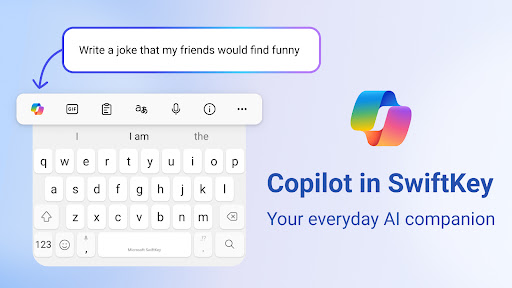
Microsoft SwiftKey comes with Copilot - your everyday AI companion. You can ask AI anything in your favourite apps.
The Microsoft SwiftKey swipe keyboard is always learning and adapting to match your unique way of typing - including your slang, nicknames and emoji.
Microsoft SwiftKey caters to all typing tastes, with free designs and themes to fit any style. The custom keyboard provides autocorrect that actually works. Microsoft SwiftKey provides helpful predictions, so you can get your point across fast, without errors. Type and text any way you like, with swipe-to-type, tap-to-type, and searchable emojis and GIFs.
TYPE LESS, DO MORE
Typing
- Swipe to type or tap to type
- Spell checker and auto text with AI-powered predictions
- Custom keyboard toolbar with an expandable menu of quick shortcuts
- Rewrite your text in a different tone and Compose text to effortlessly transform your ideas into polished drafts via AI
Rich content
- Use emoji, GIFs and stickers to express yourself 😎
- Emoji keyboard is adaptive, learning and predicting your favorite emoticons for any conversation 👍
- Search emojis and GIFs to find the best one for your reaction 🔥
- Create unique AI-powered images and memes to stand out from the crowd 🪄
Customize
- 100+ colorful keyboard themes
- Make your own custom keyboard theme with your photo as the background
- Customize your keyboard size and layout
Multilingual
- Enable up to five languages at once
- Keyboard supports over 700 languages
Get the custom keyboard that always matches your style – download Microsoft SwiftKey Keyboard today!
Find out more about Microsoft SwiftKey’s key features: https://www.microsoft.com/swiftkey
SUPPORTS 700+ LANGUAGES including:
English (US, UK, AU, CA)
Spanish (ES, LA, US)
Portuguese (PT, BR)
German
Turkish
French
Arabic
Russian
Italian
Polish
Microsoft SwiftKey AI Keyboard may request the following optional permissions, which require your consent. You can continue to use Microsoft SwiftKey AI Keyboard without granting these permissions; however, some features may be limited or unavailable.
For more information, please see below:
- Microphone: To enter text via voice using the voice-to-text functionality.
- Photos and videos: To select images stored on your device and insert or share them in messages.
- Contacts: To access your contacts for easy entry when composing messages.
- Camera: To take photos to insert or share them in messages.
How to Download Microsoft SwiftKey AI Keyboard APK
- Enter the package name
com.touchtype.swiftkeyon the APK Downloader homepage. - Select your device architecture (ARM64 recommended for modern devices).
- Click Download to get the merged APK file.
- Transfer and install the APK on your Android device.
- Keep Updated: Visit APK Downloader regularly to search for and download the latest secure versions of your favorite apps.
Security & Signature Verification
This APK download is 100% safe. We verify that the cryptographic signature of the file matches the official developer credentials. No modifications or adware are injected.