
Download Sources
Device Configuration
Split APKs Installation Guide
Some apps are distributed as Split APKs (multiple .apk files packaged together) to optimize resources. Standard Android installers cannot open them.
Related Applications


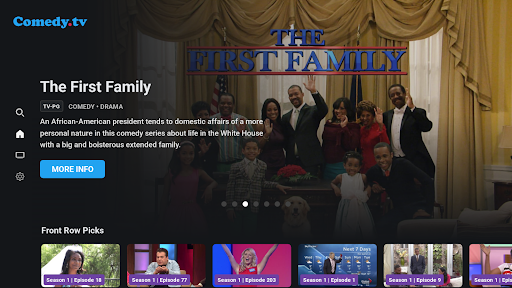
What's New
Welcome to Comedy TV by Allen Media Group!
Stream hilarious stand-up comedy, hit sitcoms, and laugh-out-loud entertainment anytime, anywhere. Enjoy a growing collection of comedy programming, easy content discovery, and a smooth viewing experience across your devices.
Features:
- Watch stand-up comedy specials and comedy series
- Browse and discover featured content
- Stream high-quality video
- User-friendly interface and playback controls
- Performance and stability optimizations
About this app
Comedy.TV delivers nonstop stand-up comedy and hilarious entertainment right to your screen. Enjoy performances from talented comedians, laugh-out-loud specials, and feel-good comedy shows anytime, anywhere. Skip the traffic, parking, and crowded comedy clubs and enjoy endless laughs from the comfort of your home. Whether you want to relax after a long day or simply brighten your mood, Comedy.TV brings you comedy specials, stand-up performances, and entertaining content designed to keep you laughing. Watch comedy anytime with an easy-to-use streaming experience and regularly updated content featuring funny and unforgettable performances.
How to Download Comedy.TV APK
- Enter the package name
com.tv.comedytvon the APK Downloader homepage. - Select your device architecture (ARM64 recommended for modern devices).
- Click Download to get the merged APK file.
- Transfer and install the APK on your Android device.
- Keep Updated: Visit APK Downloader regularly to search for and download the latest secure versions of your favorite apps.
Security & Signature Verification
This APK download is 100% safe. We verify that the cryptographic signature of the file matches the official developer credentials. No modifications or adware are injected.