
Download Sources
Device Configuration
Split APKs Installation Guide
Some apps are distributed as Split APKs (multiple .apk files packaged together) to optimize resources. Standard Android installers cannot open them.
Related Applications




What's New
This update contains stability improvements and bug fixes.
About this app
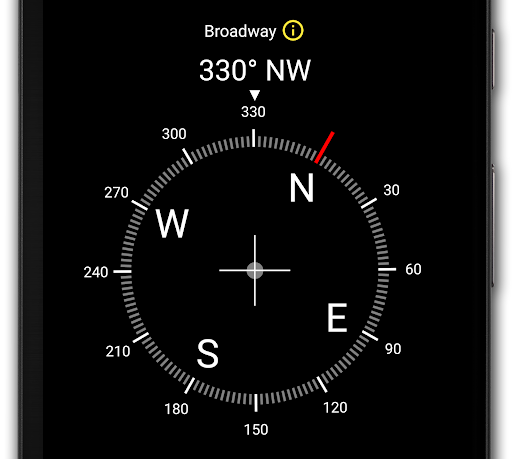
This is a high precision and insanely beautiful digital compass.
Useful features:
• Latitude, longitude and address
• Full-screen map
• True heading and magnetic heading
• Magnetic strength
• Slope level meter
• Sensor status
Caution!
• Do not use the app with magnetic covers.
• If you encounter a direction error, calibrate your phone by waving the device in a figure 8, two or three times.
Follow us on YouTube!
• https://axmt.co/YouTube
Follow us on Instagram!
• https://www.instagram.com/axiomatic.inc/
Follow us on Facebook!
• https://www.facebook.com/DigitalCompass.Android/
© 2014–2026 Axiomatic Inc. All rights reserved.
How to Download Digital Compass APK
- Enter the package name
com.vincentlee.compasson the APK Downloader homepage. - Select your device architecture (ARM64 recommended for modern devices).
- Click Download to get the merged APK file.
- Transfer and install the APK on your Android device.
- Keep Updated: Visit APK Downloader regularly to search for and download the latest secure versions of your favorite apps.
Security & Signature Verification
This APK download is 100% safe. We verify that the cryptographic signature of the file matches the official developer credentials. No modifications or adware are injected.