

Transformers: Eternal War APK Screenshots


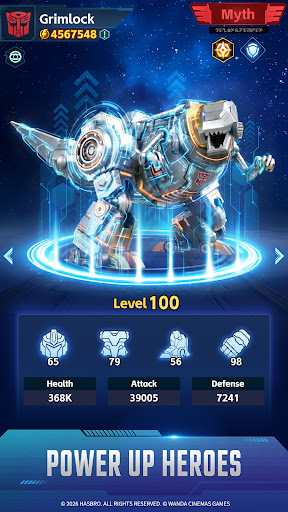

Transformers: Eternal War Game Information
Download Sources
Device Configuration
Split APKs Installation Guide
Some apps are distributed as Split APKs (multiple .apk files packaged together) to optimize resources. Standard Android installers cannot open them.
About Transformers: Eternal War
Autobots and Decepticons unite against the Chaos Legion in an all-new Transformers strategy RPG featuring an original story by Simon Furman.
Earth is being consumed by a mysterious force born from pure chaos energy: an unstoppable corruption spreading toward humanity's last line of defense.
For generations, Autobots and Decepticons have waged an unrelenting war. But faced with the Chaos Legion, old enemies must stand together against a greater threat.
The fight for Earth is no longer about victory. It is about survival.
Forge an Original Transformers Epic with Simon Furman
Transformers: Eternal War features an original story written by Simon Furman, the legendary writer who helped shape the Transformers universe for generations of fans.
In this all-new chapter, players will uncover the rise of the Chaos Legion, an apocalyptic faction empowered by unstable chaos energy capable of corrupting even the greatest warriors. As familiar heroes and villains fall under its influence, the balance of the universe begins to unravel.
Faced with a threat unlike anything they have ever encountered, Autobots and Decepticons must confront an impossible choice: continue their endless war, or stand together to protect Earth, Cybertron, and the future of all they fight for.
Command the Battlefield
Transformers: Eternal War reimagines the character-collection experience with a streamlined system focused on tactical squad-building and long-term strategic progression rather than constant micromanagement.
Whether players are online or away from the battlefield, their forces continue fighting, gathering resources, and advancing the war effort around the clock. Recruit, upgrade, and command an ever-expanding roster of iconic Transformers while creating powerful team synergies that can turn the tide of battle.
Every squad composition matters. Every commander shapes the future of the conflict.
Build the Ark. Sustain the Battle.
Beyond the battlefield, players can expand and manage support facilities surrounding the Ark, creating a steady flow of resources that keeps their forces combat-ready at all times.
By upgrading automated production systems and optimizing resource operations, commanders can continuously strengthen their forces.
Built for effortless progression, Transformers: Eternal War lets players spend less time managing resources and more time assembling powerful teams, refining their strategy, and pushing back the growing Chaos Legion threat.
A New Era of Transformers Warfare Begins
Combining legendary characters, an original story crafted by one of the franchise's most iconic writers, and a modern strategic gameplay experience built for mobile, Transformers: Eternal War celebrates the franchise's rich history while forging a bold new future.
The universe is changing.
The signal has been broadcast.
Now the fate of Earth depends on who answers the call!
How to Download Transformers: Eternal War APK
- Enter the package name
com.wanda.transformers.gg.amon the APK Downloader. - Select your device architecture (ARM64 recommended for modern devices).
- Click Download to get the merged APK file.
- Transfer and install the APK on your Android device.
- Keep Updated: Visit APKDER.COM regularly to search for and download the latest secure versions of your favorite apps.
Frequently Asked Questions
Yes! Every APK download provided by APKDER undergoes rigorous security verification. We verify that the cryptographic signature of the APK file matches the official signature from the developer, ensuring the APK is original, untouched, and free from any modifications.
To install it, you first need to enable "Unknown Sources" in your Android device's security settings. After downloading the APK file from APKDER, tap it to begin the installation and follow the on-screen prompts.
Yes! As soon as the developer releases a new version of Transformers: Eternal War, we will update and provide the updated APK on APKDER. You can simply download and install the new APK over the existing installation without losing your app data.
Yes. APKDER allows you to bypass geographic restrictions and download official APK files directly, even if the app or game is not officially available in your country's store.
A standard APK is a single installation package. An XAPK or Split APK contains multiple resource files (like OBB expansions or device-specific layout parts) packaged together. To install them, you can download splits individually or use dynamic helper tools like Split APKs Installer (SAI).
Security & Signature Verification
This APK download is 100% safe. We verify that the cryptographic signature of the file matches the official developer credentials. No modifications or adware are injected.


