



Download Sources
Device Configuration
Split APKs Installation Guide
Some apps are distributed as Split APKs (multiple .apk files packaged together) to optimize resources. Standard Android installers cannot open them.
What's New
1.Optimized visual effects to enhance your user experience
2.Fixed certain bugs
About This App
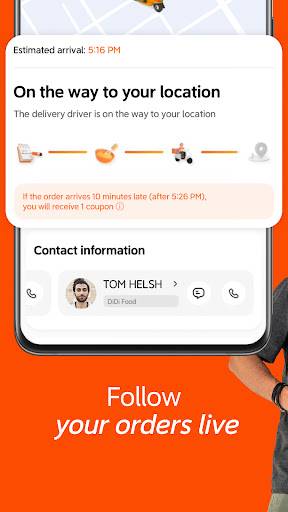
Your food anytime. Anywhere.
User Reviews

TERRIBLE APP. While shopping, the deliverer sent me a micro photo of a replacement item. It's so small that's it's impossible to read the label. How can you know if the item is acceptable or not for replacement if you can't even read the tiny characters in that micro picture? The deliverer also said that the app is so unflexible, that if I blindly choose it and I didn't like it, I cannot change my mind and there's no refund. Those developers back in China must have microscopic vision.

Lately it's been one thing after another. Waiting 3hrs just so they can cancel my order. One time it was taking so long I canceled myself... Wrong move... Since I paid with card I thought I was just going to get a cancellation fee and get refunded the rest, but no they keep the money. I had to go through 2 different service representatives to get something back in a form of coupons.

The app showed me restaurants, but waited until I tried to check out to tell me the restaurant was too far away. They offered coupons that were for new customers only, but if the payment method failed due to potential fraud, attempting to re-order would fail because the coupon no longer applied. It was very frustrating. I deleted my account and uninstalled the app without ever completing a single order.

Horrible app! No accountability at all. It has been several times now and hat I order McDonald's and Burgur king and the orders are incomplete. There is nowhere on the app to complain and have them correct the issue. And no way to contact the establishment(s) and it's not just a small mistake example: just now I ordered a Double quarter pounder with cheese and Paid an extra $30 pesos for them to ad an extra meat. And no extra meat was added. Again not the first time And missing fries. Sucks!
How to Download DiDi Food: Express Delivery APK
- Enter the package name
com.xiaojukeji.didi.global.customeron the APK Downloader. - Select your device architecture (ARM64 recommended for modern devices).
- Click Download to get the merged APK file.
- Transfer and install the APK on your Android device.
- Keep Updated: Visit APKDER.COM regularly to search for and download the latest secure versions of your favorite apps.
Security & Signature Verification
This APK download is 100% safe. We verify that the cryptographic signature of the file matches the official developer credentials. No modifications or adware are injected.
