

Zoho IoT APK Screenshots


App Information
Download Sources
Device Configuration
Split APKs Installation Guide
Some apps are distributed as Split APKs (multiple .apk files packaged together) to optimize resources. Standard Android installers cannot open them.
What's New
In this update, the Zoho IoT mobile app now supports Image Layout, and comments on the details page.
About This App
Zoho IoT - Monitor, Manage & Control Your IoT Devices Anywhere
Manage your entire IoT ecosystem directly from your smartphone with the Zoho IoT mobile app, your all-in-one IoT platform companion for remote monitoring, IoT analytics, device control, and smart device management.
Whether you are running a factory, managing buildings, tracking assets, or operating remote sites, the app keeps you connected to your operations anytime, anywhere.
Everything you build on the Zoho IoT low-code IoT web platform becomes instantly accessible on mobile. Monitor devices in real time, view IoT dashboards, track asset performance, receive IoT alerts, and even control your equipment remotely, all from the tip of your finger.
Stay informed. Stay efficient. Stay in control.
Why Zoho IoT Mobile App?
The app is a seamless extension of our web-based IoT platform, designed to keep your operations running smoothly with real-time device monitoring, alerts, analytics, and command execution to keep your operations running smoothly.
Unified Dashboard
Monitor your entire IoT ecosystem at a glance. View custom IoT dashboards, analytics widgets, KPIs, and trends all in one place.
Instant Notifications
Get real-time updates on incidents, device health, system events, and business-critical activities. Never miss an important update again.
Real-Time Alarm or Alerts
Receive immediate IoT alerts for anomalies, threshold breaches, or equipment failures. Assign alarms to team members and accelerate resolution to reduce downtime.
Custom Modules
Build and use custom forms built using the low-code IoT platform.. Scan a machine/process, input the field data, track activities, and manage workflows effortlessly.
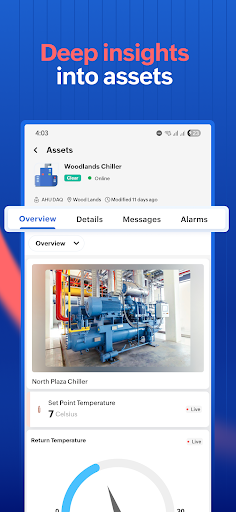
Device & Asset Insights
Access full visibility into your connected devices and assets.. View real-time status, analyse historical trends, monitor performance, and ensure proactive maintenance.
Location Hierarchy
Navigate through sites, buildings, floors, rooms, and assets effortlessly. Ideal for smart building IoT deployments and large distributed operations.
Interactive Maps
Visualize your IoT network on an interactive map. Track industrial sites, building assets, remote infrastructure, or use it as a fleet tracking IoT view for vehicles and mobile assets.
Remote Commands & Control
Control your IoT devices directly from the app. Turn devices ON/OFF, adjust parameters, send custom commands, and take quick actions instantly from anywhere.
Designed for Every Industry
Zoho IoT is built to support a wide range of industries including Smart Manufacturing IoT, smart building, energy management, agriculture, cold storage, fleet management and much more.
Whether you manage heavy machinery, HVAC systems, energy meters, cold storage, factories, vehicles, or office infrastructure, Zoho IoT empowers you with complete operational intelligence in your pocket.
User Reviews

app keeps shutting down.
How to Download Zoho IoT APK
- Enter the package name
com.zoho.ioton the APK Downloader. - Select your device architecture (ARM64 recommended for modern devices).
- Click Download to get the merged APK file.
- Transfer and install the APK on your Android device.
- Keep Updated: Visit APKDER.COM regularly to search for and download the latest secure versions of your favorite apps.
Frequently Asked Questions
Yes! Every APK download provided by APKDER undergoes rigorous security verification. We verify that the cryptographic signature of the APK file matches the official signature from the developer, ensuring the APK is original, untouched, and free from any modifications.
To install it, you first need to enable "Unknown Sources" in your Android device's security settings. After downloading the APK file from APKDER, tap it to begin the installation and follow the on-screen prompts.
Yes! As soon as the developer releases a new version of Zoho IoT, we will update and provide the updated APK on APKDER. You can simply download and install the new APK over the existing installation without losing your app data.
Yes. APKDER allows you to bypass geographic restrictions and download official APK files directly, even if the app or game is not officially available in your country's store.
A standard APK is a single installation package. An XAPK or Split APK contains multiple resource files (like OBB expansions or device-specific layout parts) packaged together. To install them, you can download splits individually or use dynamic helper tools like Split APKs Installer (SAI).
Security & Signature Verification
This APK download is 100% safe. We verify that the cryptographic signature of the file matches the official developer credentials. No modifications or adware are injected.


