

VibeMe AI: Music Video Maker APK Screenshots
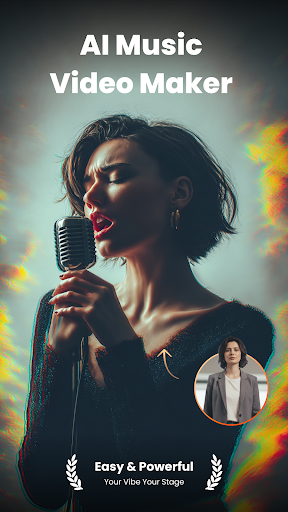


VibeMe AI: Music Video Maker App Information
Download Sources
Device Configuration
Split APKs Installation Guide
Some apps are distributed as Split APKs (multiple .apk files packaged together) to optimize resources. Standard Android installers cannot open them.
What's New in VibeMe AI: Music Video Maker
- Performance and user experience optimization
- UI improvements and bug fixes
About VibeMe AI: Music Video Maker
VibeMe AI: Where Any Photo Becomes a Singing Video!
Your Vibe, Your Stage — Powered by AI.
Turn any image into a lively, singing video with just one tap. No editing experience needed—VibeMe AI turns your photos into animated performances instantly.
🎭 Bring Photos to Life
Breathe life into any photo containing a face. Powered by cutting-edge AI, this feature turns sketches, portraits, and digital art into captivating performances. Watch them sing and dance with stunning realism.
✨ How It Works:
1. Upload a photo
2. Choose a sound—hit songs
3. Tap “animate” and watch your photo perform
4. Share the fun on social media or with your friends
🎵 Endless Sound Choices:
- Hit SongsLet your photos sing rock anthems, pop classics, or karaoke favorites. Great for selfies, kids’ pics, or friends’ photos.
- Viral Meme SoundsJump on trends with animated photos lip-syncing to internet sensations.
- Movie & TV QuotesMatch the perfect phrase to your image and create hilarious combinations.
We constantly add new and exciting hits to keep songs fresh!
Download VibeMe AI now—Create, laugh, and share in seconds!
In case of any questions, issues, or collaboration requests, contact us at [[email protected]]
Terms and Conditions: https://help.vibemeai.net/vibeme-ai-terms.html
Privacy Policy: https://help.vibemeai.net/vibeme-ai-privacy.html
【Contact us】
-Youtube www.youtube.com/@VibeMeAI
- Ins https://www.instagram.com/vibeme.ai/
- Tiktok https://www.tiktok.com/@vibeme_ai
- X https://x.com/VibeMe_AI
User Reviews

VibeMe is a great app, now always accurate on the music videos. but I usually do multiple scenes, then I take them to another editing app and cut out the renders that don't look like me at all as best I can. I would be nice if more references could be used for music video options, this way more pics and different angles can be given to help with emulation.

The app began in a good way, but then started changing my appearance multiple times. It was like the AI was having an identity crisis. it even completely changed my ethnicity in one part of the song, while giving me three arms in another part. Add to that canceling my subscription is still a quest I have yet to conquer, I'm going have to just chalk one up to experience and try help others avoid the pit I fell in.

for starters it asks for nearly 10 dollars for the weekly rate I can go to freebeats for 5 dollars. next it won't even do my full song I have chop it up, and the credits you get for the week will only cover about 88 seconds. Lastly it won't allow me to move on without choosing an Ai model and most of the video was just the model on a white background walking. this is literally the worst Ai I have ever seen.

This is a great app for all those who love music but cannot make it on their own. This app generates songs within five minutes according to your taste and choice. The only negative point is that you can download a one minute preview , hence you cannot share the full song with anyone, unless you opt for the paid version. So just generate songs for your listening pleasure.
How to Download VibeMe AI: Music Video Maker APK
- Enter the package name
com.ztgame.vibemeon the APK Downloader. - Select your device architecture (ARM64 recommended for modern devices).
- Click Download to get the merged APK file.
- Transfer and install the APK on your Android device.
- Keep Updated: Visit APKDER.COM regularly to search for and download the latest secure versions of your favorite apps.
Frequently Asked Questions
Yes! Every APK download provided by APKDER undergoes rigorous security verification. We verify that the cryptographic signature of the APK file matches the official signature from the developer, ensuring the APK is original, untouched, and free from any modifications.
To install it, you first need to enable "Unknown Sources" in your Android device's security settings. After downloading the APK file from APKDER, tap it to begin the installation and follow the on-screen prompts.
Yes! As soon as the developer releases a new version of VibeMe AI: Music Video Maker, we will update and provide the updated APK on APKDER. You can simply download and install the new APK over the existing installation without losing your app data.
Yes. APKDER allows you to bypass geographic restrictions and download official APK files directly, even if the app or game is not officially available in your country's store.
A standard APK is a single installation package. An XAPK or Split APK contains multiple resource files (like OBB expansions or device-specific layout parts) packaged together. To install them, you can download splits individually or use dynamic helper tools like Split APKs Installer (SAI).
Security & Signature Verification
This APK download is 100% safe. We verify that the cryptographic signature of the file matches the official developer credentials. No modifications or adware are injected.
