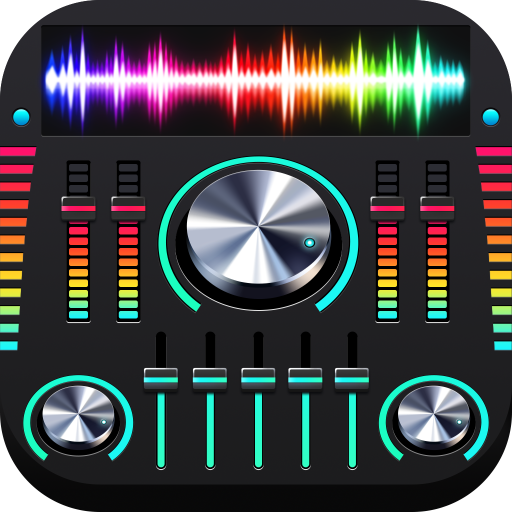
Equalizer Bass & Volume Boost APK Screenshots


Equalizer Bass & Volume Boost App Information
Download Sources
Device Configuration
Split APKs Installation Guide
Some apps are distributed as Split APKs (multiple .apk files packaged together) to optimize resources. Standard Android installers cannot open them.
What's New in Equalizer Bass & Volume Boost
* Performance optimized, more efficient
About Equalizer Bass & Volume Boost
Equalizer, Bass Boost, Sound Booster, and Virtualizer indeed enhance the volume of your Android phone, provide high-quality sound and stereophonic sound.
Use professional sound booster function, you can amplify the volume of your favorite music, enjoy more immersive sound than ever before. What‘s more, the most professional EQ will help you manually control your music play volume, improve sound quality and provide an excellent music experience! ✨
Listen to pop songs with the best music control and bass & volume boosters that work with most music and video players!
✴️ Music EQ adjusts the sound:
• Graphic equalizer with 5-band or 10-band to satisfy different music styles
• 20+ equalizer presets, rock, jazz, hip hop, heavy metal...
• Save a large number of personal music equalizer settings
✴️ Bass booster effect:
• Powerful bass booster for your headphone
• Boost the bass to listen to heavy bass
• Bass boost for Spotify & YouTube Music
✴️ Volume booster effect:
• Maximum volume booster effect
• Amplify the volume of your phone
• Boost your speaker, listen to louder sound
✴️ Music virtualizer effect:
• Listen to stereo surround sound
• Experience immersive music listening
✴️ Gorgeous visual effect:
• 4 default themes and 4 popular themes
• Edge lighting effect
• Colorful spectrum dances with the beat of the music
• User-friendly UI interface that follows Google's Material Design
✴️ Simple Installation and Usage:
• Turn on your Music player and play your music
• Turn on the Equalizer & Volume boosters application and adjust frequency
• Adjust Boost Bass & Volume to suit your taste
• Put headphones for the best results
To get the best result, pair this Equalizer app with your headphones. Careful with your ears when using Volume Boosters.
With our free professional volume booster & equalizer , you'll get a luxurious music experience! Heads up for this perfect bass booster & virtualizer app and download it for free now, and you can amplify the volume, improve the sound quality of your Android phone or tablet device!
User Reviews

This app is very nice and better than others that I've tried. I rate this app at five stars for producing very pure sound and higher volume. I thank developers for the job well done i encourage others to download it and hear it the best results.

Not powerful coz I hate volume booster tied to the system volume

Easy to use and set your sounds to suit your preferences, useful presets. Fully customisable.

If you had a 10 to a 32 band EQ like sony, Blaupunkt, then you will be able to understand and adjust stuff as this virtual set up🙀
How to Download Equalizer Bass & Volume Boost APK
- Enter the package name
equalizer.bassboost.volume.boosteron the APK Downloader. - Select your device architecture (ARM64 recommended for modern devices).
- Click Download to get the merged APK file.
- Transfer and install the APK on your Android device.
- Keep Updated: Visit APKDER.COM regularly to search for and download the latest secure versions of your favorite apps.
Equalizer Bass & Volume Boost APK Overview
Download the latest version of Equalizer Bass & Volume Boost APK by Nuts Mobile Inc. for Android for free at APKDER. Downloading the official Equalizer Bass & Volume Boost (equalizer.bassboost.volume.booster) APK is faster, easier, and safer for your Android device.
Frequently Asked Questions
Yes! Every APK download provided by APKDER undergoes rigorous security verification. We verify that the cryptographic signature of the APK file matches the official signature from the developer, ensuring the APK is original, untouched, and free from any modifications.
To install it, you first need to enable "Unknown Sources" in your Android device's security settings. After downloading the APK file from APKDER, tap it to begin the installation and follow the on-screen prompts.
Yes! As soon as the developer releases a new version of Equalizer Bass & Volume Boost, we will update and provide the updated APK on APKDER. You can simply download and install the new APK over the existing installation without losing your app data.
Yes. APKDER allows you to bypass geographic restrictions and download official APK files directly, even if the app or game is not officially available in your country's store.
A standard APK is a single installation package. An XAPK or Split APK contains multiple resource files (like OBB expansions or device-specific layout parts) packaged together. To install them, you can download splits individually or use dynamic helper tools like Split APKs Installer (SAI).
Security & Signature Verification
This APK download is 100% safe. We verify that the cryptographic signature of the file matches the official developer credentials. No modifications or adware are injected.