
Download Sources
Device Configuration
Split APKs Installation Guide
Some apps are distributed as Split APKs (multiple .apk files packaged together) to optimize resources. Standard Android installers cannot open them.
Related Applications




What's New
You need not update. Because the content is the same. Although the SDK 36 has been applied and outdated library has been updated.
About this app
*Spotlight on Phonics*
■ Overview
Bricks Spotlight on Phonics, a 3-level program designed for elementary students
studying English for the first time, has a mobile app.
With animations, chants, activities, storybooks, and a variety of other components,
children can study phonics in ways which cater to a multitude of learning styles.
*Visit the Bricks website below for further information.
https://www.hibricks.com
■ Features
Student Book: Level 1 to Level 3
From learning the alphabet letters to reading stories!
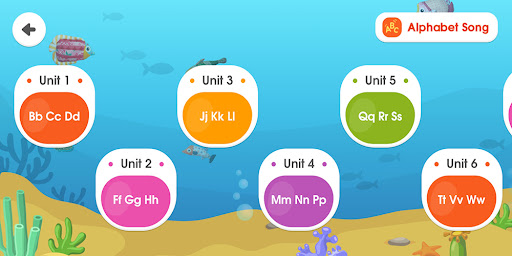
- Alphabet Song: Reinforcing their sounds of the alphabet through singing a song
- Sound: Practicing letter-sound recognition skills through singing chants
- Flashcard: Learning phonics words through sounds and images
- Activity: Building phonics skills through various activities
- Storybook: Reading and chanting stories with phonics words.
■ How to use
1. Install the app and download the appropriate level.
2. Click on the level, and children can learn phonics with the multi-content provided.
How to Download Spotlight on Phonics APK
- Enter the package name
kr.ninth.phonicson the APK Downloader homepage. - Select your device architecture (ARM64 recommended for modern devices).
- Click Download to get the merged APK file.
- Transfer and install the APK on your Android device.
- Keep Updated: Visit APK Downloader regularly to search for and download the latest secure versions of your favorite apps.
Security & Signature Verification
This APK download is 100% safe. We verify that the cryptographic signature of the file matches the official developer credentials. No modifications or adware are injected.