
Download Sources
Device Configuration
Split APKs Installation Guide
Some apps are distributed as Split APKs (multiple .apk files packaged together) to optimize resources. Standard Android installers cannot open them.
Related Applications



What's New
Bug fixes.
About this app
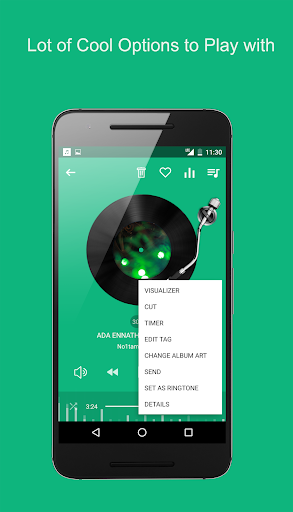
High quality music player with powerful equalizer . Music player lets you manage all your music files easily .
Browse and play music songs by artists , genres , songs , albums and folder .
-- Features --
* Supports almost all types of mp3 , flac ,midi ,wav , aac files and other audio file formats
* High quality equalizer with bass and treble control
* Music visualizer support
* Mp3 ringtone maker support
* Sleep timer
* 50 + vibrant color themes
* Music tag editor support
* Playlist reorder
* Wearable support
* Control playback by shake
* Material design
* Music search support
* Default playlist support
* Music resume on reopen
How to Download Mp3 Player APK
- Enter the package name
mp3.music.download.player.music.searchon the APK Downloader homepage. - Select your device architecture (ARM64 recommended for modern devices).
- Click Download to get the merged APK file.
- Transfer and install the APK on your Android device.
- Keep Updated: Visit APK Downloader regularly to search for and download the latest secure versions of your favorite apps.
Security & Signature Verification
This APK download is 100% safe. We verify that the cryptographic signature of the file matches the official developer credentials. No modifications or adware are injected.