

Download Sources
Device Configuration
Split APKs Installation Guide
Some apps are distributed as Split APKs (multiple .apk files packaged together) to optimize resources. Standard Android installers cannot open them.
What's New
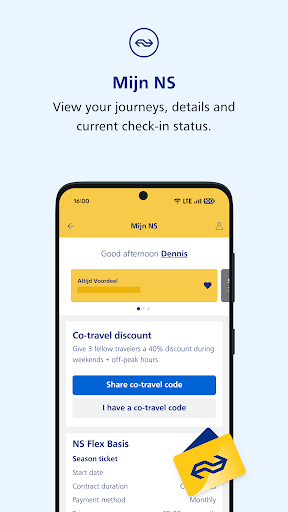
'More' has been replaced by 'MijnNS', giving you direct access to your personal MijnNS environment.
The journey results now show the departure platform alongside the travel time by default. Prefer to see the number of transfers or fare information? You can change this via the gear icon in the top right.
About this app
The NS app is the official planning application for the Dutch Railways.
The app has the following features:
- Realtime journey planner
- Timetable of departing trains per station
- Summary of Planned work and disruptions
- Station specific information regarding facilities and shops
- Notifications regarding delays of a saved trip
Permissions:
- We use your location to show nearby train stations
- We use permissions for "Photo's/media/files" to save temporary files for Google Maps. This allows maps shown in the app to be faster. The app doesn't use or have access to your pictures or other media.
The terms of use for the NS App apply to the use of the NS App. By using the NS App you agree to this.
User Reviews

I am unable to log into the app, even though I can log in on the website. Also, the app lacks in-app registration, and registration through the website from mobile is a painful experience, and keeps switching back to Dutch. I was unable to accomplish my goal (registering a bike). It seems silly that you need to install a complicated phone app to take a bike on a train, and you can't simply add a bicycle tariff from a normal kiosk at the train station. Not tourist-friendly.

Great helpful app! The developer responded to my earlier review regarding how to change the text to English! "Please go to 'Meer', select 'Instellingen and select 'Taal'. There you can change the language setting of the app from Dutch to English." I did this and it works! You just need to press one of the menu items at the bottom to refresh the screen. I had already found it very helpful. Now I would give it 6 *.

The payment system, going via a lousy third party site, is not functional. Out of seven attempts with two different cards, five failed, one got through immediately, and one got through after green minutes, when i was already on the train, with a paper ticket. No refund of course. Now I use the app only for train schedules.

It's a very useful app, but also a painful flaw. The loading screen should not exist when opening the app, I almost was thrown off the train because of it. The wifi on the trein was broken and I had poor cell service at the time the ticket validator came through. I had purchased a ticket, it was stored on my phone, but rendered inaccessible unnecessarily because the loading screen... As they were about to escort me off the trein the loading screen fortunately cleared.
How to Download NS APK
- Enter the package name
nl.ns.android.activityon the APK Downloader. - Select your device architecture (ARM64 recommended for modern devices).
- Click Download to get the merged APK file.
- Transfer and install the APK on your Android device.
- Keep Updated: Visit APKDER.COM regularly to search for and download the latest secure versions of your favorite apps.
Security & Signature Verification
This APK download is 100% safe. We verify that the cryptographic signature of the file matches the official developer credentials. No modifications or adware are injected.


