
Download Sources
Device Configuration
Split APKs Installation Guide
Some apps are distributed as Split APKs (multiple .apk files packaged together) to optimize resources. Standard Android installers cannot open them.
Related Applications




What's New
Security upgrades to the app
About this app
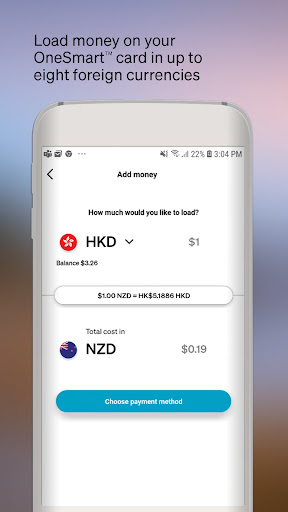
The OneSmart™ app, brought to you by Air New Zealand, is the perfect companion to your OneSmart account allowing you to manage your money on the go. To access the OneSmart app you will first need an activated OneSmart account.
With this app, you can:
• Load money into your OneSmart account
• Check the balances of each currency in your OneSmart account
• Easily transfer funds between currencies
• Review your transaction history
• Change your password
• View your Airpoints Dollar™ balance
• Block and unblock your card
• Set up spend alerts
Get smarter now:
• Simply install this app and login using the last four digits of your OneSmart card, email address and password.
Find out more about the OneSmart app at airnzonesmart.co.nz/
Air New Zealand Airpoints Programme Terms and Conditions apply.
EML Payment Solutions Limited (8079483) is the issuer of the OneSmart Account. Terms and Conditions and fees apply see https://www.airnzonesmart.co.nz/
How to Download Air New Zealand OneSmart APK
- Enter the package name
nz.co.airnz.onesmarton the APK Downloader homepage. - Select your device architecture (ARM64 recommended for modern devices).
- Click Download to get the merged APK file.
- Transfer and install the APK on your Android device.
- Keep Updated: Visit APK Downloader regularly to search for and download the latest secure versions of your favorite apps.
Security & Signature Verification
This APK download is 100% safe. We verify that the cryptographic signature of the file matches the official developer credentials. No modifications or adware are injected.