




Download Sources
Device Configuration
Split APKs Installation Guide
Some apps are distributed as Split APKs (multiple .apk files packaged together) to optimize resources. Standard Android installers cannot open them.
What's New
🌟 Improved user experience
🌟 Optimized app performance
🌟 Fixed minor bugs
About This App
Looking for an app to easily read, edit, convert and manage files in both work and life?
Try PDF Reader & PDF Editor - a lightweight reader for all your document needs!
Smoothly handle files in all formats, PDF, Word, Excel, PPT, TXT, XLSX, DOC, and more, even password-protected files. PDF Reader - PDF Editor auto searches files on your device and clearly displays them in one place so you can quickly access them anytime, anywhere. It also supports image to PDF conversion, making it the perfect PDF editing app for you!
Wait no more, try PDF Reader - PDF Editor to maximize your productivity now!
🎉 Basic features of PDF Reader - PDF Editor:
- Support multiple formats: PDF, Word, Excel, PPT, TXT, XLSX, DOC, etc.
- PDF editing: manage and edit PDF files with simple PDF editing tools.
- PDF converter: convert your images into high-quality PDF files quickly.
- Thumbnail preview: jump directly to any page by clicking on thumbnails.
- Centralized file management: manage files in one place, from internal & external storage.
- Offline reading: free yourself from the Internet restriction.
- Star your favorites: one-click bookmark needed files for easy access.
- User-friendly interface: easily find all the functions you want.
🤩 What is PDF Reader - PDF Editor?
📍 A Simple PDF Editor & Converter
- Efficient editor: edit your PDFs offline, anytime and anywhere
- Ultimate converter: convert images to high-quality PDF files
- Edit & manage freely: delete/rename/star PDFs as needed
- Print quickly: fast print PDF files directly from the app
- Read easily: rotate PDF pages to view with one click
📍 A Powerful PDF Reader & Viewer
- Zoom in and out of the pages to read as needed
- Continuous and page-by-page scrolling reading mode
- Go to page directly by entering the page number
- Support for password-protected PDFs
📍 A Full-functioned File Manager
- Quickly open, search & view files on your device
- Open and read files from other apps
- Keep files in all formats well-organized
- Easily check files details: size, location, last modified, & last viewed
- Share files with friends directly within the app
📍 A Smart All Documents Reader
- View PDF essays or contracts anywhere, anytime
- Quickly browse resumes in PDF or Word formats
- Easily locate cells in Excel while working
- Convenient for preparing your PPT presentation
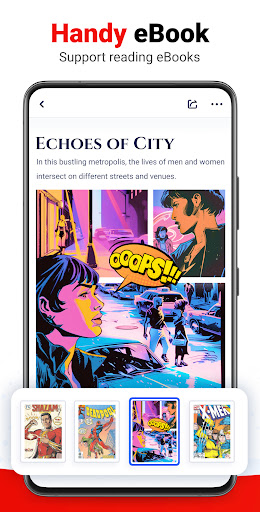
- Smoothly read TXT documents or ebooks
🌟 Why choose PDF Reader - PDF Editor?
- Perfectly compatible with Word, PDF, Excel, PPT, TXT, and more
- Excellent reading experience
- Effortless PDF editing
- Smart file management
- Lightweight, running fast
- Offline available
- Open large files smoothly
🔜 Coming soon:
- Edit everything: edit Word, Excel, images, etc, fill PDF forms
- Text editing: search and copy text in documents, add text freely
- Format converter: convert between PDF, Word, Excel, etc.
- PDF scanner: scan images, receipts, notes to PDF.
- More formats: support for more file formats like ZIP, TIFF, etc.
- E-signatures: easily add e-signatures to documents.
……
Upgrade your reading experience with this efficient office reader now! PDF Reader - PDF Editor will be your reliable assistant for both work and life!
* MANAGE_EXTERNAL_STORAGE permission is required for Android 11 and above. This permission will only be used to read and edit documents on the device and will never be used for any other purpose.
If you have any questions or suggestions while using our app, please feel free to contact us via [email protected]. We're glad to help you.
User Reviews

Doesn't allow any highlighting, searching etc, The Android built in pdf reader that you get when you click on a file in :Downloads:' has more functionality than this piece of detritus, its sole purpose seems to be to get you to watch a heap of adverts before you realise you have wasted your time and delete it, Nice scam. The ads "support"!!!.an app that quite literally does nothing

Excellent design overall, could add more options on the editing part. wanted to add text but couldn't have the option.

easy to use that's what i was looking for,job well done,how ever it lucked features like merge pdf,extract pdf,convert pdf so that it be easy to get all in one place.

Ads after ads are displayed upor registration. Clicking the top-right close button on ads leads to harmful links - tested on July 01, 2026 .
How to Download PDF Reader - PDF Editor APK
- Enter the package name
pdfreader.pdfviewer.free.officetoolon the APK Downloader. - Select your device architecture (ARM64 recommended for modern devices).
- Click Download to get the merged APK file.
- Transfer and install the APK on your Android device.
- Keep Updated: Visit APKDER.COM regularly to search for and download the latest secure versions of your favorite apps.
Security & Signature Verification
This APK download is 100% safe. We verify that the cryptographic signature of the file matches the official developer credentials. No modifications or adware are injected.


