Yandex Mail: Email & Cloud APK Screenshots


Yandex Mail: Email & Cloud App Information
Download Sources
Device Configuration
Old Versions of Yandex Mail: Email & Cloud
| Version | Size | Min OS | Architecture | Release Date | Action |
|---|---|---|---|---|---|
| v9.22.0 | 179.2 MB | Android 26+ | x86 x86-64 armeabi-v7a arm64-v8a | Jun 19, 2026 | Download |
| v8.74.0 | 128.4 MB | Android 24+ | x86 x86-64 armeabi-v7a arm64-v8a | Mar 3, 2025 | Download |
| v8.37.1.3 | 119.6 MB | Android 23+ | x86 x86-64 armeabi-v7a arm64-v8a | Jun 28, 2023 | Download |
| v7.7.5 | 42.5 MB | Android 21+ | x86 x86-64 armeabi armeabi-v7a arm64-v8a | Nov 25, 2024 | Download |
| v4.12.1 | 9.8 MB | Android 16+ | Dec 21, 2018 | Download | |
| v1.78 | 2.7 MB | Android 4+ | Dec 26, 2012 | Download |
Split APKs Installation Guide
Some apps are distributed as Split APKs (multiple .apk files packaged together) to optimize resources. Standard Android installers cannot open them.
What's New in Yandex Mail: Email & Cloud
We made some subtle but important fixes. Please update the app.
About Yandex Mail: Email & Cloud
Try Yandex Mail, a free email service for work and personal messages, with protection against spam and viruses.
Yandex Mail helps you stay organized and keep track of what matters. All your mailboxes, emails, calendar events, documents, and notes — in one app.
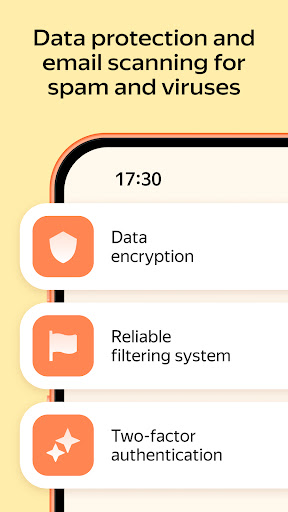
Protection against spam and viruses
Smart algorithms filter out spam and viruses, so your in box only shows what you need. PIN code sign-in helps keep your emails private. Your emails and attachments are backed up in multiple copies in Yandex data centers, so all your data stays safe.
Easy email management on the go
What if I need to check my mail between tasks? In the app, you can reply to emails in one tap with smart suggestions, quickly browse new messages, and open attachments.
Offline email access
No connection on the metro or train? Received emails are still available offline, and outgoing messages are sent automatically as soon as the app is back online.
An organized inbox without manual sorting
Set up rules so Yandex Mail can automatically sort emails into folders, forward them, or turn on auto-reply. You can also unsubscribe from all newsletters at once in settings, without having to manually go through each email.
Emails in any language
Got an email in another language? The built-in translator translates it into your language, so you can easily read emails in any language.
All your mailboxes in one app
If you have several mailboxes across different services, connect your Gmail, Outlook, Yahoo, Rambler, iCloud, Mail.ru and AOL Mail accounts, and import emails from other mailboxes to view everything in one app.
Yandex Disk, Yandex Calendar, and Yandex Documents
Create events in Yandex Calendar, upload files to cloud storage on Yandex Disk, edit documents, spreadsheets, and presentations, and take notes. The built-in scanner turns a document or photo into a scan and attaches it to an email.
More features with Yandex 360
Want to do more with Yandex Mail? Yandex 360 gives you access to extra features:
— Alice Pro smart assistant. Highlights important emails in your inbox and gives you a brief summary. Alice can also find information in your emails and help draft messages.
— Custom address instead of @yandex.com. Choose a short, unique address with your name or line of work, such as [email protected]. This address makes it clear what you do and helps your emails stand out.
— Subscription approval. New promotional newsletters will no longer appear in your inbox without your permission: Yandex Mail will notify you, and you can choose whether to receive or block them.
Who Yandex Mail is for
Yandex Mail is for anyone who needs easy-to-use, secure, spam-free email for work and personal tasks. It's especially useful for:
— users with several mailboxes who want to keep them in one place
— users who correspond in foreign languages
— users who need email, calendar, cloud storage, and documents in one app
Install Yandex Mail to keep all your emails and tasks within reach.
User Reviews

I like the email service. It'd be great, if I didn't have to fill out a recaptcha from time to time, because it reduces the efficiency of time and usage. I think it'd be improved by using a better way to know that a person actually sent a message, instead of a recaptcha, like a quick verification. Like, for example, pick a word like "Jacquard" to verify that it's a valid message. It can be set up in settings or preferences, and it'd be at the bottom of the email, click it & it'd be sent. 🤔

I love that this app has a "disable ads" switch, even though they're really aren't any ads. I find the app very clean and easy to use. Everything is well placed. A lot of people have never heard of Yandex. Keep this quality up and that will change. If I had one small gripe, it's that sometimes in emails it thinks shipping tracking numbers are phone numbers, and when I click them, it opens the phone app instead. Small gripe for an overall solid app. This is a solid email client. Light but very capable. Highly recommended.

I used to like this app, I could switch between all my accounts for work etc. With ease but somethings changed. I can no longer log into ANY account because it requires this thing where you enter the text shown in a photo, I've literally tried over and over for the past 20 minutes. I know I'm entering it correctly. And it says incorrect and keeps me going. There is no way I've gotten it wrong every single time, and I cab read the text it is not wrong. Fix that, and I'll change my rating back.

Much better app than Outlook, Yahoo, AOL, or others I tried. A pleasant and amazing interface and flawless functionality. Notification tells you when your message is received by sender. 'Disk' to store your attachments. Multiple email accounts from other providers can be utilized as well. Try it. Many other features as well can be be simply used.
How to Download Yandex Mail: Email & Cloud APK
- Enter the package name
ru.yandex.mailon the APK Downloader. - Select your device architecture (ARM64 recommended for modern devices).
- Click Download to get the merged APK file.
- Transfer and install the APK on your Android device.
- Keep Updated: Visit APKDER.COM regularly to search for and download the latest secure versions of your favorite apps.
Frequently Asked Questions
Yes! Every APK download provided by APKDER undergoes rigorous security verification. We verify that the cryptographic signature of the APK file matches the official signature from the developer, ensuring the APK is original, untouched, and free from any modifications.
To install it, you first need to enable "Unknown Sources" in your Android device's security settings. After downloading the APK file from APKDER, tap it to begin the installation and follow the on-screen prompts.
Yes! As soon as the developer releases a new version of Yandex Mail: Email & Cloud, we will update and provide the updated APK on APKDER. You can simply download and install the new APK over the existing installation without losing your app data.
Yes. APKDER allows you to bypass geographic restrictions and download official APK files directly, even if the app or game is not officially available in your country's store.
A standard APK is a single installation package. An XAPK or Split APK contains multiple resource files (like OBB expansions or device-specific layout parts) packaged together. To install them, you can download splits individually or use dynamic helper tools like Split APKs Installer (SAI).
Security & Signature Verification
This APK download is 100% safe. We verify that the cryptographic signature of the file matches the official developer credentials. No modifications or adware are injected.