
Download Sources
Device Configuration
Split APKs Installation Guide
Some apps are distributed as Split APKs (multiple .apk files packaged together) to optimize resources. Standard Android installers cannot open them.
Related Applications




What's New
Addresses a crash that could occur when backgrounding and foregrounding the TV app.
About this app
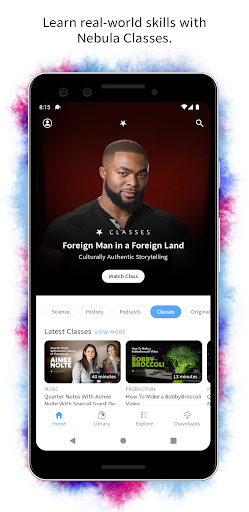
Nebula is an independent streaming service built by Creators. It features thoughtful videos, podcasts, and classes tailored for our audience — ad free. When using the Nebula app, you’ll enjoy access to:
• A full catalog of videos, podcasts, and classes from all of our creators
• Exclusive Nebula Originals every month
• Nebula Plus — Extended cuts with additional, exclusive content
• Notifications when your favorite creators release a new video
• Video downloads for offline viewing
Not to mention you’ll have our eternal gratitude for supporting independent creators.
Some content may be presented in its original 4:3 format.
How to Download Nebula APK
- Enter the package name
tv.standard.nebulaon the APK Downloader homepage. - Select your device architecture (ARM64 recommended for modern devices).
- Click Download to get the merged APK file.
- Transfer and install the APK on your Android device.
- Keep Updated: Visit APK Downloader regularly to search for and download the latest secure versions of your favorite apps.
Security & Signature Verification
This APK download is 100% safe. We verify that the cryptographic signature of the file matches the official developer credentials. No modifications or adware are injected.