
Download Sources
Device Configuration
Split APKs Installation Guide
Some apps are distributed as Split APKs (multiple .apk files packaged together) to optimize resources. Standard Android installers cannot open them.
Related Applications






What's New
We’ve made some improvements to keep the app running smoothly.
About this app
HSBC UK Business Banking helps you manage your business finances on the go.
Built for UK-based HSBC Business Banking customers, it gives you access to many of your Business Internet Banking services in an app.
Key features
• Make payments to new and existing payees, and move money between accounts
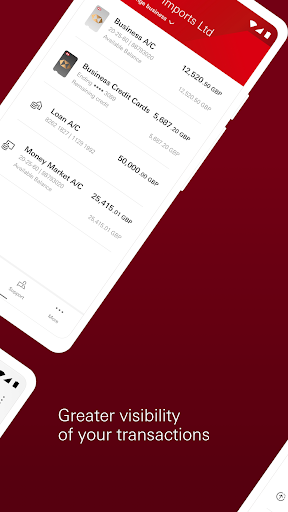
• View balances and transactions across eligible business accounts
• Set up a business money manager account - for an instant access savings account to put aside separate funds
• View and download statements for sterling current and savings accounts
• Generate codes with the In app Digital Security Device to log on, make payments or authorise changes in Business Internet Banking desktop
• Pay in cheques to eligible HSBC accounts in-app (fees and limits apply)
• Manage cards (primary users only): view your PIN, block/unblock cards, and report cards lost or stolen
• Use the app on up to 3 devices
• Get support with our in app Chat Assistant, or message us and we’ll alert you when we reply
Getting started
To use the app, you’ll need HSBC UK Business Internet Banking and a Security Device (or Security Device Replacement Code) to set up and log on for the first time.
If you're not registered, go to: https://www.business.hsbc.uk/en-gb/solutions/business-internet-banking
More information and FAQs about the app, please go to https://www.business.hsbc.uk/en-gb/solutions/business-mobile-banking
Important information
This app is provided by HSBC UK Bank Plc (“HSBC UK”) for existing customers only. Please do not download this app if you are not an existing customer of HSBC UK.
HSBC UK is regulated in the United Kingdom by the Financial Conduct Authority and authorised by the Prudential Regulation Authority. HSBC UK Bank Plc is registered in England and Wales (company number 9928412). Registered Office: 1 Centenary Square, Birmingham, B1 1HQ. Authorised by the Prudential Regulation Authority and regulated by the Financial Conduct Authority and Prudential Regulation Authority (Financial Services Register Number: 765112).
How to Download HSBC UK Business Banking APK
- Enter the package name
uk.co.hsbc.hsbcukbusinessbankingon the APK Downloader homepage. - Select your device architecture (ARM64 recommended for modern devices).
- Click Download to get the merged APK file.
- Transfer and install the APK on your Android device.
- Keep Updated: Visit APK Downloader regularly to search for and download the latest secure versions of your favorite apps.
Security & Signature Verification
This APK download is 100% safe. We verify that the cryptographic signature of the file matches the official developer credentials. No modifications or adware are injected.