
مصادر التحميل
Device Configuration
دليل تثبيت حزم APK المجزأة (Split APKs)
يتم توزيع بعض التطبيقات كحزم APK مجزأة (ملفات .apk متعددة معاً) لتحسين الموارد. ولا يمكن لمثبت أندرويد القياسي فتحها.
التطبيقات ذات صلة




ما الجديد
Minor bugs fixed
حول هذا التطبيق
⭐️ ⭐️ ⭐️ ⭐️ ⭐️ The best free App Lock ⭐️ ⭐️ ⭐️ ⭐️ ⭐️
Feature
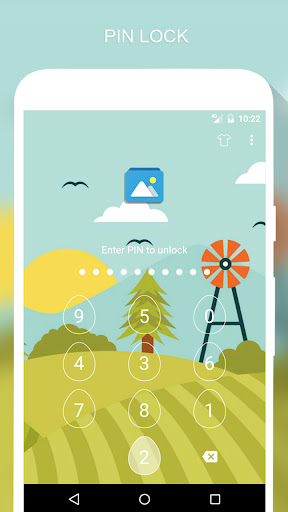
🔒 Lock apps with PIN, Pattern
# Fingerprint (Only for Samsung devices with fingerprint sensor and Android 6.0 devices with fingerprint sensor)
# Random keyboard
# Time Password
# Show Password transformation
# Invisible Pattern
# Pattern size
🔒 Lock Incoming call, Recent tasks, Switch lock ( Wi-Fi , Bluetooth), Install/Uninstall and 3rd party apps.
🔒 Temporary unlock. You don't need to unlock apps every time
# Delay lock at time
# Lock your app at the device screen off
# Enter password once to unlock all
🔒 Cover (Disguise your App Lock screen to prevent from breaking into your password. fake Fingerprint scanner and fake Force close dialog will hide the real lock screen)
🔒 Lock screen orientation (System settings, Auto-rotate, Portrait, Landscape)
🔒 Hide AppLock Master icon
🔒 Intruder selfie
# Take a photo of who tried to unlock your device
🔒 Theme, background
# Background (Choose from gallery, System wallpaper, Transparent, Blur)
# Theme
# Theme customize (Show theme icon, show app name, hint message)
🔒 Animation lock screen
# Animation type (Fade, Zoom, Slide left, Slide right, Slide up, Slide down)
----------------FAQ----------------
1. How to open AppLock Master after hide AppLock Master icon
- You can using 2 way below to open AppLock Master again
+ Visit web https://apps.sepber.com/AppLockMaster/Support/applock_master_open.php
+ Drag out widget icon of AppLock Master and click to open
2. How to uninstall AppLock?
After you turn on uninstall prevention, nobody can uninstall AppLock without password. If you want to uninstall it, please turn off uninstall prevention first.
3. How to use time PIN?
- Device's time will combine with your PIN at end.
Ex: If the time is 19:02, ***1902 would be your PIN (*** is your PIN)
AppLock uses the Device Administrator permission. (only used to prevent AppLock being uninstalled and stopped)
Any issues or suggest for AppLock Master, welcome to send email to us!
Email: [email protected]
Facebook: https://facebook.com/sepber.fanpage
كيفية تنزيل APK AppLock Master
- أدخل اسم الحزمة
com.ammy.applockفي الصفحة الرئيسية لـ APK Downloader. - حدد بنية جهازك (يوصى بـ ARM64 للأجهزة الحديثة).
- انقر فوق تنزيل للحصول على ملف APK المدمج.
- قم بنقل وتثبيت APK على جهاز Android الخاص بك.
- ابقَ على اطلاع: قم بزيارة APK Downloader بانتظام للبحث عن أحدث الإصدارات الآمنة من تطبيقاتك المفضلة وتنزيلها.
الأمان والتحقق من التوقيع
تحميل ملف APK هذا آمن بنسبة 100٪. نحن نتحقق من أن التوقيع التشفيري للملف يطابق بيانات المطور الرسمية. لا توجد تعديلات أو إعلانات مدمجة.