
مصادر التحميل
Device Configuration
دليل تثبيت حزم APK المجزأة (Split APKs)
يتم توزيع بعض التطبيقات كحزم APK مجزأة (ملفات .apk متعددة معاً) لتحسين الموارد. ولا يمكن لمثبت أندرويد القياسي فتحها.
التطبيقات ذات صلة




ما الجديد
- Widget for quick lock/unlock apps and notifications
حول هذا التطبيق
🔒 AppLockr helps you lock apps, protect your privacy, and secure personal data with PIN or fingerprint protection.
Keep your private apps safe, hide sensitive notifications, and automatically capture intruder selfies when someone enters the wrong PIN.
Protect WhatsApp, Telegram, Instagram, Photos, Gallery, and other private apps with powerful app lock protection.
✅ KEY FEATURES:
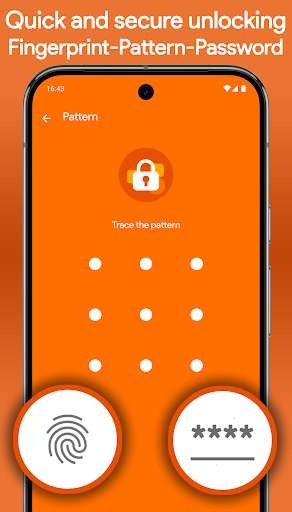
• Lock apps with secure PIN or fingerprint protection
• Hide notifications from locked apps for complete privacy
• Intruder selfie – Automatically capture photos of anyone trying to unlock your apps with the wrong PIN
• Encrypt private photos, files, and sensitive data with secure AES-256 encryption
• Instantly view intruder selfies when opening the app
• Flexible protection modes – Lock apps, notifications, or both together
• Quick lock and unlock widget for fast access
• Local storage only – No cloud uploads, no third-party sharing
🔐 YOUR PRIVACY COMES FIRST
AppLockr does not track your activity or upload your personal data.
No cloud storage. No tracking. No data sharing. Everything stays securely on your device.
🧩 LIGHTWEIGHT, FAST, AND SIMPLE
Designed for speed and ease of use, AppLockr protects your apps without slowing down your phone or draining your battery.
🚀 GET STARTED NOW
Secure your apps, protect your privacy, and keep your personal data safe with AppLockr.
كيفية تنزيل APK App Lock & Privacy — AppLockr
- أدخل اسم الحزمة
com.applockrفي الصفحة الرئيسية لـ APK Downloader. - حدد بنية جهازك (يوصى بـ ARM64 للأجهزة الحديثة).
- انقر فوق تنزيل للحصول على ملف APK المدمج.
- قم بنقل وتثبيت APK على جهاز Android الخاص بك.
- ابقَ على اطلاع: قم بزيارة APK Downloader بانتظام للبحث عن أحدث الإصدارات الآمنة من تطبيقاتك المفضلة وتنزيلها.
الأمان والتحقق من التوقيع
تحميل ملف APK هذا آمن بنسبة 100٪. نحن نتحقق من أن التوقيع التشفيري للملف يطابق بيانات المطور الرسمية. لا توجد تعديلات أو إعلانات مدمجة.