
مصادر التحميل
Device Configuration
دليل تثبيت حزم APK المجزأة (Split APKs)
يتم توزيع بعض التطبيقات كحزم APK مجزأة (ملفات .apk متعددة معاً) لتحسين الموارد. ولا يمكن لمثبت أندرويد القياسي فتحها.
التطبيقات ذات صلة





ما الجديد
Updates to security and general enhancements.
حول هذا التطبيق
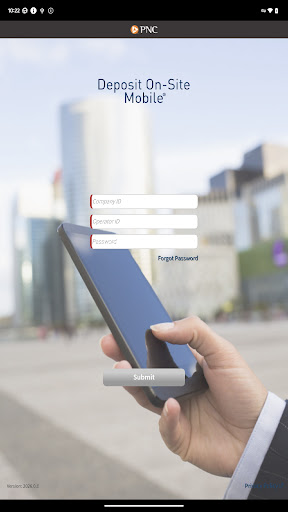
DEPOSIT ON-SITE MOBILE® for Android™
MOBILE DEPOSIT FOR CORPORATIONS
ACCELERATE YOUR BUSINESS
With PNC Bank’s corporate mobile solution, you have deposit-only access to accelerate your cash flow and include important payment details. In conjunction with PNC’s Deposit On-Site service, this corporate mobile solution enables your company’s mobile users to make check deposits on the go.
For Companies interested in using PNC’s Deposit On-Site Mobile Deposit Service, contact your Treasury Management Officer or visit pnc.com/treasury.
MOBILE USERS:
The PNC Deposit On-Site Mobile App provides an efficient way to accelerate the deposit of consumer and business checks. This App is designed for Android™ devices with an operating system of 5.1 and higher. With an Android™ supported mobile device, you can:
Download
and launch the PNC Deposit On-Site Mobile App.
Authenticate
and sign on with the Operator ID and Password supplied by your company.
Create
a new deposit for one or more checks, take a picture of the check(s), enter the dollar amount, and enter data related to the payments received.
Submit
your deposit to PNC via your mobile device, several times a day or at the end of your business day.
View
open and submitted deposit details from your mobile device.
For Deposit On-Site Mobile support call 1-800-669-1518 or [email protected].
PNC does not charge a fee for this application. However, third party message and data rates may apply. A supported mobile device is needed to use the Deposit On-Site Mobile® App.
Your employer has previously entered into a Treasury Management Services Comprehensive Agreement with PNC Bank, National Association (“PNC Bank”) regarding
your employer’s use of the Deposit On-Site® service (the “Comprehensive Agreement”). The terms and conditions of the Comprehensive Agreement shall govern your access to and use of the mobile version of the Deposit On-Site Mobile® service (the ‘App”) with an Android™ supported mobile device.
PNC, Deposit On-Site, and Deposit On-Site Mobile are registered marks of The PNC Financial Services Group, Inc. (“PNC”).
Android™ is a trademark of Google Inc
Bank deposit, treasury management products and services are provided by PNC Bank, National Association, a wholly-owned subsidiary of PNC and Member FDIC.
©2025 The PNC Financial Services Group, Inc. All rights reserved.
كيفية تنزيل APK PNC Deposit On-Site Mobile
- أدخل اسم الحزمة
com.pnc.DepositOnsiteفي الصفحة الرئيسية لـ APK Downloader. - حدد بنية جهازك (يوصى بـ ARM64 للأجهزة الحديثة).
- انقر فوق تنزيل للحصول على ملف APK المدمج.
- قم بنقل وتثبيت APK على جهاز Android الخاص بك.
- ابقَ على اطلاع: قم بزيارة APK Downloader بانتظام للبحث عن أحدث الإصدارات الآمنة من تطبيقاتك المفضلة وتنزيلها.
الأمان والتحقق من التوقيع
تحميل ملف APK هذا آمن بنسبة 100٪. نحن نتحقق من أن التوقيع التشفيري للملف يطابق بيانات المطور الرسمية. لا توجد تعديلات أو إعلانات مدمجة.