
مصادر التحميل
Device Configuration
دليل تثبيت حزم APK المجزأة (Split APKs)
يتم توزيع بعض التطبيقات كحزم APK مجزأة (ملفات .apk متعددة معاً) لتحسين الموارد. ولا يمكن لمثبت أندرويد القياسي فتحها.
التطبيقات ذات صلة


ما الجديد
- Updated to use the modern Steam Guard login flow. With this update the app will ask you to login again.
- Added better support for Game Recording content shared in chat
- Added adaptive icons
- Updated most internal dependencies to bring in bug fixes and improvements
حول هذا التطبيق
Take your Steam friends, groups, and conversations with you wherever you go.
The Steam Chat app includes many key features of the desktop Steam client chat, including:
Friends List – See who’s in game or online at a glance. You'll see your custom categories and favorites bar just like you can on your PC.
Rich Chat – Your chats get even better with higher fidelity links, videos, tweets, GIFs, Giphy, Steam emoticons, and more.
Invite Links – Add new friends on Steam with a link. Generate an invite link you can text or email.
Customizable Notifications – Mobile notifications mean you'll never miss a message or game invite. You can customize your notifications per friend, group chat, and chat channel.
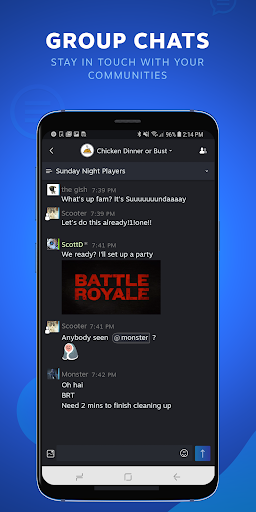
Group Chats - Get everyone on the same page. Groups make it easier to do things like stay in touch with your communities and organize game night with your best friends.
كيفية تنزيل APK Steam Chat
- أدخل اسم الحزمة
com.valvesoftware.android.steam.friendsuiفي الصفحة الرئيسية لـ APK Downloader. - حدد بنية جهازك (يوصى بـ ARM64 للأجهزة الحديثة).
- انقر فوق تنزيل للحصول على ملف APK المدمج.
- قم بنقل وتثبيت APK على جهاز Android الخاص بك.
- ابقَ على اطلاع: قم بزيارة APK Downloader بانتظام للبحث عن أحدث الإصدارات الآمنة من تطبيقاتك المفضلة وتنزيلها.
الأمان والتحقق من التوقيع
تحميل ملف APK هذا آمن بنسبة 100٪. نحن نتحقق من أن التوقيع التشفيري للملف يطابق بيانات المطور الرسمية. لا توجد تعديلات أو إعلانات مدمجة.