
ডাউনलोड উৎস
Device Configuration
স্প্লিট এপিকে (Split APK) ইনস্টলেশন গাইড
কিছু অ্যাপস স্প্লিট এপিকে (একাধিক .apk ফাইল একসঙ্গে প্যাকেজ করা) হিসেবে বিতরণ করা হয়। সাধারণ অ্যান্ড্রয়েড ইনস্টলার এগুলো ইনস্টল করতে পারে না।
সম্পর্কিত অ্যাপ্লিকেশন


নতুন কী আছে
Bug fixes have also been carried out during this update, to provide even greater ease of use.
앱 সম্পর্কে
The "beurer PainAway" app provides you with optimum support when using the Beurer EM 70 Wireless TENS&EMS device for pain therapy and muscle stimulation.
The follow app features await you in the app:
- Helpful explanations about the various Beurer EM 70 Wireless device application programs
- Useful depictions of the correct electrode positioning on each part of the body
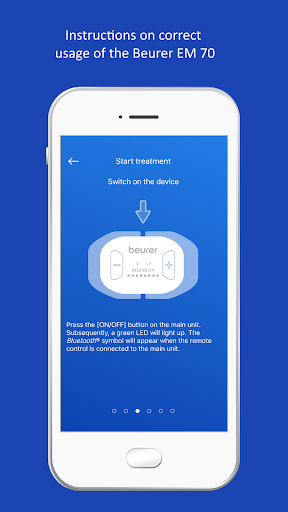
- Instructions on correct usage of the Beurer EM 70
- Additional information concerning the topic of TENS & EMS
কীভাবে beurer PainAway এপিকে ডাউনলোড করবেন
- APK Downloader হোমপেজে প্যাকেজ নাম
com.beurer.connect.PainAwayলিখুন। - আপনার ডিভাইসের আর্কিটেকচার নির্বাচন করুন (আধুনিক ডিভাইসের জন্য ARM64 সুপারিশকৃত)।
- একত্রিত এপিকে ফাইল পেতে ডাউনলোড করুন এ ক্লিক করুন।
- আপনার অ্যান্ড্রয়েড ডিভাইসে এপিকে স্থানান্তর এবং ইনস্টল করুন।
- আপডেট থাকুন: আপনার প্রিয় অ্যাপগুলির সর্বশেষ নিরাপদ সংস্করণগুলি অনুসন্ধান এবং ডাউনলোড করতে নিয়মিত APK Downloader ভিজিট করুন।
নিরাপত্তা ও স্বাক্ষর যাচাইকরণ
এই APK ডাউনলোডটি ১০০% নিরাপদ। আমরা যাচাই করি যে ফাইলটির ক্রিপ্টোগ্রাফিক স্বাক্ষর অফিশিয়াল ডেভেলপারের ক্রেডেনশিয়ালের সাথে মেলে। কোনো মডিফিকেশন বা অ্যাডওয়্যার নেই।