
ডাউনलोड উৎস
Device Configuration
স্প্লিট এপিকে (Split APK) ইনস্টলেশন গাইড
কিছু অ্যাপস স্প্লিট এপিকে (একাধিক .apk ফাইল একসঙ্গে প্যাকেজ করা) হিসেবে বিতরণ করা হয়। সাধারণ অ্যান্ড্রয়েড ইনস্টলার এগুলো ইনস্টল করতে পারে না।
সম্পর্কিত অ্যাপ্লিকেশন





নতুন কী আছে
Updates to security and general enhancements.
앱 সম্পর্কে
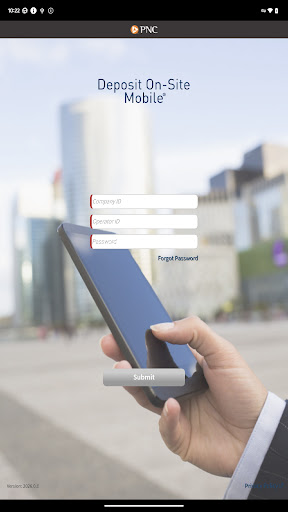
DEPOSIT ON-SITE MOBILE® for Android™
MOBILE DEPOSIT FOR CORPORATIONS
ACCELERATE YOUR BUSINESS
With PNC Bank’s corporate mobile solution, you have deposit-only access to accelerate your cash flow and include important payment details. In conjunction with PNC’s Deposit On-Site service, this corporate mobile solution enables your company’s mobile users to make check deposits on the go.
For Companies interested in using PNC’s Deposit On-Site Mobile Deposit Service, contact your Treasury Management Officer or visit pnc.com/treasury.
MOBILE USERS:
The PNC Deposit On-Site Mobile App provides an efficient way to accelerate the deposit of consumer and business checks. This App is designed for Android™ devices with an operating system of 5.1 and higher. With an Android™ supported mobile device, you can:
Download
and launch the PNC Deposit On-Site Mobile App.
Authenticate
and sign on with the Operator ID and Password supplied by your company.
Create
a new deposit for one or more checks, take a picture of the check(s), enter the dollar amount, and enter data related to the payments received.
Submit
your deposit to PNC via your mobile device, several times a day or at the end of your business day.
View
open and submitted deposit details from your mobile device.
For Deposit On-Site Mobile support call 1-800-669-1518 or [email protected].
PNC does not charge a fee for this application. However, third party message and data rates may apply. A supported mobile device is needed to use the Deposit On-Site Mobile® App.
Your employer has previously entered into a Treasury Management Services Comprehensive Agreement with PNC Bank, National Association (“PNC Bank”) regarding
your employer’s use of the Deposit On-Site® service (the “Comprehensive Agreement”). The terms and conditions of the Comprehensive Agreement shall govern your access to and use of the mobile version of the Deposit On-Site Mobile® service (the ‘App”) with an Android™ supported mobile device.
PNC, Deposit On-Site, and Deposit On-Site Mobile are registered marks of The PNC Financial Services Group, Inc. (“PNC”).
Android™ is a trademark of Google Inc
Bank deposit, treasury management products and services are provided by PNC Bank, National Association, a wholly-owned subsidiary of PNC and Member FDIC.
©2025 The PNC Financial Services Group, Inc. All rights reserved.
কীভাবে PNC Deposit On-Site Mobile এপিকে ডাউনলোড করবেন
- APK Downloader হোমপেজে প্যাকেজ নাম
com.pnc.DepositOnsiteলিখুন। - আপনার ডিভাইসের আর্কিটেকচার নির্বাচন করুন (আধুনিক ডিভাইসের জন্য ARM64 সুপারিশকৃত)।
- একত্রিত এপিকে ফাইল পেতে ডাউনলোড করুন এ ক্লিক করুন।
- আপনার অ্যান্ড্রয়েড ডিভাইসে এপিকে স্থানান্তর এবং ইনস্টল করুন।
- আপডেট থাকুন: আপনার প্রিয় অ্যাপগুলির সর্বশেষ নিরাপদ সংস্করণগুলি অনুসন্ধান এবং ডাউনলোড করতে নিয়মিত APK Downloader ভিজিট করুন।
নিরাপত্তা ও স্বাক্ষর যাচাইকরণ
এই APK ডাউনলোডটি ১০০% নিরাপদ। আমরা যাচাই করি যে ফাইলটির ক্রিপ্টোগ্রাফিক স্বাক্ষর অফিশিয়াল ডেভেলপারের ক্রেডেনশিয়ালের সাথে মেলে। কোনো মডিফিকেশন বা অ্যাডওয়্যার নেই।