




ডাউনलोड উৎস
Device Configuration
স্প্লিট এপিকে (Split APK) ইনস্টলেশন গাইড
কিছু অ্যাপস স্প্লিট এপিকে (একাধিক .apk ফাইল একসঙ্গে প্যাকেজ করা) হিসেবে বিতরণ করা হয়। সাধারণ অ্যান্ড্রয়েড ইনস্টলার এগুলো ইনস্টল করতে পারে না।
নতুন কী আছে
1. Optimize performance
2. Fix bugs
앱 সম্পর্কে
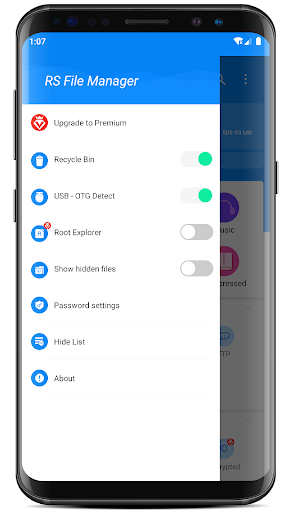
File Management app RS File Manager - RS File Explorer is the ultimate File Manager for Android.
Android 16 is supported now!
Free, Safe, Simple, Manage your files efficiently and easily with RS File Manager. RS File Manager - RS File Explorer is easy and powerful file explorer for Android devices. It's free, fast and full featured.
Manage your files like you do on your desktop or laptop using Multiple Select, Cut, Copy, Paste, Move, Create, Delete, Rename, Search, Share, Send, Hide, zip, unzip, and Bookmark etc.
With RS File Manager - RS File Explorer, you can easily manage your files and folders on your device and cloud storages. Also you can find how many files and apps you have on your device immediately after opening RS File Manager.
More Features:
● Disk Analysis : analyze your space usage, large files, file categories, recent files, folder size
● Cloud Drive access : Google Drive™, Dropbox, OneDrive, Yandex, Box, Google Shared Drive, Mega™, NextCloud
● Manage your network storages : FTP, FTPS, SFTP, WebDAV
● Local area network : SMB 2.0, NAS, CIFS, FTP, HTTP
● Efficient file search : Search for your file immediately
● App manager
● Root explorer
● Compress and Decompress : Zip, Rar, 7zip, obb
● USB OTG
● Access files from PC
● Favorite and bookmark folders or files
● Thumbnails for images and video as well as for various file types
● View APK files as ZIP
● Share - send files by Bluetooth, email, or whatever the device supports
● Easily work with Zip (as if it was normal folder)
● File Encryption : 128-bit encryption
With RS File Manager - RS File Explorer, you have 100% control over your file system and everything can be found easily organized.
Languages supported by the RS file explorer include English( en ), Arabic ( ar ), German ( de ), Spanish ( es ), French ( fr ), Italian ( it ), Portuguese ( pt ), Russian ( ru ), etc.
ব্যবহারকারী পর্যালোচনা

very good application

ভালো না

Nine
কীভাবে RS File Manager File Explorer এপিকে ডাউনলোড করবেন
- APK Downloader-এ প্যাকেজ নাম
com.rs.explorer.filemanagerলিখুন। - আপনার ডিভাইসের আর্কিটেকচার নির্বাচন করুন (আধুনিক ডিভাইসের জন্য ARM64 সুপারিশকৃত)।
- একত্রিত এপিকে ফাইল পেতে ডাউনলোড করুন এ ক্লিক করুন।
- আপনার অ্যান্ড্রয়েড ডিভাইসে এপিকে স্থানান্তর এবং ইনস্টল করুন।
- আপডেট থাকুন: আপনার প্রিয় অ্যাপগুলির সর্বশেষ নিরাপদ সংস্করণগুলি অনুসন্ধান এবং ডাউনলোড করতে নিয়মিত APKDER.COM ভিজিট করুন।
নিরাপত্তা ও স্বাক্ষর যাচাইকরণ
এই APK ডাউনলোডটি ১০০% নিরাপদ। আমরা যাচাই করি যে ফাইলটির ক্রিপ্টোগ্রাফিক স্বাক্ষর অফিশিয়াল ডেভেলপারের ক্রেডেনশিয়ালের সাথে মেলে। কোনো মডিফিকেশন বা অ্যাডওয়্যার নেই।


