
Fuentes de descarga
Device Configuration
Guía de instalación de APKs divididas (Split APKs)
Algunas aplicaciones se distribuyen como APKs divididas (varios archivos .apk empaquetados juntos) para optimizar recursos. Los instaladores estándar de Android no pueden abrirlas.
Aplicaciones Relacionadas



Acerca de esta aplicación
iWidgets has kinds of color widgets & themes for all Android devices.
It provides you with abundant widgets to decorate your phone screen, such as clock, photo, X-panel, calendar, weather, battery level, Bluetooth status and event timer, with multiple sizes to meet your different needs.
Stylish themes, custom icons, and practical widgets—design your perfect home screen now!
🧐Highlights of iWidgets:
✦ Works on all Android devices
✦ Various aesthetic themes
✦ One-click to add widgets
✦ Customize app icons freely
✦ Timers for important events
✦ Add small/medium/large widgets
✦ Multiple widgets & diverse widget styles
✦ Make your screen unique and exclusive
🎉X-Panel Widget
- A collection of shortcuts on your home screen
- Check your phone’s status in one place, current date & time, network connection, Bluetooth status, battery level, storage, etc.
- Quickly turn on/off the flashlight, connect/disconnect Wi-Fi, etc.
🎬Photo Widget
- Decorate your home screen with your cherished photos
- Support photo slideshow, recording your fond memories with family, friends or pets
🕛Clock Widget
- Exquisite clock widgets to make your phone screen more brilliant
- Analog and digital clock widgets for your choice
- A variety of aesthetic clock widget styles
⛅Weather Widget
- Local weather information at your fingertips - real-time temperature, weather conditions, etc.
- Simple and elegant display interface
📅Calendar Widget
- You can set the widget to display the current date or the entire month
- Creative and vintage styles for you to choose from
🎨Exquisite Themes
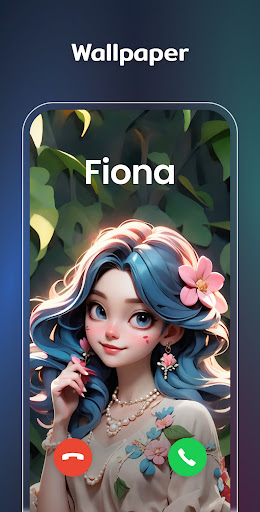
- Preset themes in different styles: anime, neon, aesthetic, human, etc.
- Change app icons as needed
- Widget styles matching the theme
- Customize wallpaper to your liking
⏳Event Timer
- Countdown to your most important events: birthdays, anniversaries, activities, or special dates
- Clearly visible screen timer to help you plan related matters
🧩Custom Icons
- Redesign app icons to show your own style
- Make your home screen stand out with a unique look
✨Upcoming Widget Types:
✦ To-do list - Simple & straightforward way to maintain self-discipline, improve your study and work efficiency
✦ Notes - Record your mood or important matters anytime, anywhere
⚙️Required Permissions:
Storage permission is required to display photos
Location permission is required for [Weather Widget] to show weather conditions
Location permission is required for [Distance Widget] so that you can always know how far the other one is
Notification permission is required to refresh the information on widgets
AccessibilityService API
This permission is required to display the Control Center on the screen and enable user-initiated actions. Rest assured, we will never access any unauthorized permissions, or disclose users' personal information to any third parties.
We support multiple color widgets & themes to meet your diverse needs. With this powerful widgetsmith tool, you can easily personalize your home screen. One-click to add widgets, change themes, customize icons, and set up event timers. Let your phone reflect your style and keep your life organized.
Your support is our greatest motivation. If you have any questions or suggestions, please contact us at [email protected].
Cómo descargar Color Widgets, Theme: iWidgets APK
- Ingrese el nombre del paquete
colorwidgets.ios.widget.topwidgetsen la página de inicio de APK Downloader. - Seleccione la arquitectura de su dispositivo (se recomienda ARM64 para dispositivos modernos).
- Haga clic en Descargar para obtener el archivo APK fusionado.
- Transfiera e instale el APK en su dispositivo Android.
- Manténgase actualizado: Visite APK Downloader regularmente para buscar y descargar las últimas versiones seguras de sus aplicaciones favoritas.
Seguridad y Verificación de Firma
Esta descarga de APK es 100% segura. Verificamos que la firma criptográfica del archivo coincida con las credenciales oficiales del desarrollador. No se inyectan modificaciones ni adware.