
Fuentes de descarga
Device Configuration
Guía de instalación de APKs divididas (Split APKs)
Algunas aplicaciones se distribuyen como APKs divididas (varios archivos .apk empaquetados juntos) para optimizar recursos. Los instaladores estándar de Android no pueden abrirlas.
Aplicaciones Relacionadas


Novedades
🚀 Big Update: Plan Your Day Like Never Before.
This release unlocks a whole new way to organize your time — more visual, flexible, and in your control.
🧠 Smarter Planning
- Add duration to tasks and plan your day realistically
- Introducing Time Block / Agenda view — your day, laid out clearly
- Drag & drop tasks to adjust time and duration instantly
⚡ Effortless Organization
- Sort your unplanned tasks and bring order to chaos
- Improved timeline sorting so your day flows naturally
Acerca de esta aplicación
Master Your Schedule with Taskito: The Best Daily Planner & To-Do List
Transform your productivity with Taskito’s intuitive timeline view. Unlike a basic task manager, Taskito combines your to-do list, calendar events, reminders, and habits into one seamless daily planner. See your day with total clarity and turn your plans into finished tasks.
Why choose Taskito for your daily organization?
Taskito is designed to be a flexible personal organizer. Whether you are a student managing assignments, a professional time-blocking meetings, or someone building better daily habits, this all-in-one planner adapts to your life.
Key Features for Better Planning:
Timeline View: Bring your to-dos, calendar events, reminders, and notes into a single focused feed.
Agenda View: Implement TimeBlock techniques to avoid schedule conflicts. The daily agenda view lets you drag and resize your tasks to fit your way.
Google Calendar Integration: Sync your schedule for seamless event import and effective time-blocking.
Project Boards: Visualize long-term goals. Organize complex projects on a board and move tasks into your timeline when you’re ready to execute.
Habit Tracker & Recurring Tasks: Build lasting routines with multi-reminder support to keep your daily habits on track.
Powerful Widgets: Glance at your agenda and manage your to-do list directly from your home screen without opening the app.
Smart Organization: Use templates for recurring lists (like groceries or workouts), color-coded tags for categorization, and bulk actions to manage tasks en masse.
A Cleaner Productivity Experience
No Ads: Keep your focus where it belongs—on your goals.
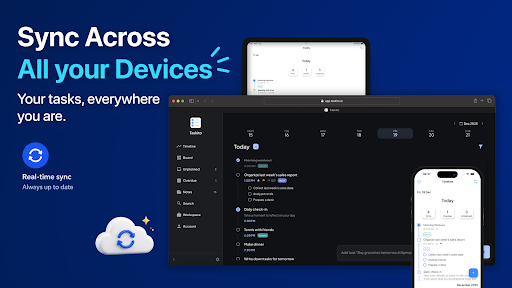
Cloud Sync & Multiplatform: Keep your data synchronized across all your devices - Available on Android, iPhone, iPad and Computer.
Taskito is more than just a checklist; it’s a productivity powerhouse that helps you stay organized.
Download Taskito today and start organizing your life with the most versatile timeline planner available.
• • •
If you have feedback or suggestions, Send us an email: [email protected]
Website: https://taskito.io/
Help Center: https://taskito.io/help
Blog: https://taskito.io/blog
Cómo descargar To-Do List & Planner: Taskito APK
- Ingrese el nombre del paquete
com.fenchtose.reflogen la APK Downloader. - Seleccione la arquitectura de su dispositivo (se recomienda ARM64 para dispositivos modernos).
- Haga clic en Descargar para obtener el archivo APK fusionado.
- Transfiera e instale el APK en su dispositivo Android.
- Manténgase actualizado: Visite APKDER.COM regularmente para buscar y descargar las últimas versiones seguras de sus aplicaciones favoritas.
Seguridad y Verificación de Firma
Esta descarga de APK es 100% segura. Verificamos que la firma criptográfica del archivo coincida con las credenciales oficiales del desarrollador. No se inyectan modificaciones ni adware.