
Fuentes de descarga
Device Configuration
Guía de instalación de APKs divididas (Split APKs)
Algunas aplicaciones se distribuyen como APKs divididas (varios archivos .apk empaquetados juntos) para optimizar recursos. Los instaladores estándar de Android no pueden abrirlas.
Aplicaciones Relacionadas


Novedades
🎉Update v6.7
✅ Added 600+ New Icons
✨ Redesigned 200+ Old Icons
💌Icons requested up to 24 May added
📨Icons after 25 May coming next update
⭐️ Don’t forget to rate and review to support development!
Acerca de esta aplicación
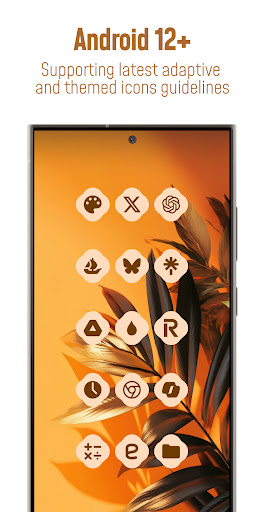
🔮Bring your Android 12+ home screen to life with Material You Adaptive Icon Pack that adapt to the dominant accents of your wallpaper , shifts in color tones between Day and Night modes , effortlessly adjust to your preferred shapes from rounded squares to teardrops and more supported by third-party launchers!
Each icon is in balanced proportions and uses palette that complements themed material you design.
*Please note: Icon colors may vary depending on your device’s launcher, theme settings, or other factors. The screenshots featured in this listing were captured using Nova Launcher—actual results may differ slightly based on your unique setup*
📱FEATURES
• 25.000+ Material You Icons Included
• 50.000+ Apps Themed
• Exclusive Dynamic Wallpapers
• Dynamic Calendars for supported launchers
• Material You User-Friendly Dashboard
• Icon Requests for your apps (Free and Premium)
• Icon Masking with Theme Accent for unthemed apps
• Regular Updates for new icons
🎨CATEGORIES OF ANDROID APPS COVERED
• System Apps
• Google Apps
• Stock OEM Apps
• Social Apps
• Media Apps
• Games Apps
• Many other apps...
📃HOW TO USE / REQUIREMENTS
• Install a compatible launcher listed below
• Open the Icon Pack app, tap on apply or select it in your launcher settings.
✅SUPPORTED LAUNCHERS - THEMED ICONS
Hyperion • Kiss • Kvaesisto • Lawnchair • Niagara • Nothing • Nova Launcher • Pixel (with Shortcut Maker) • Poco • Samsung One UI (with Theme Park) • Smart • Square • Tinybit ...may be compatible with other launchers not listed here!
📝EXTRA NOTES
• A Third-Party Launcher or OEM Compatibility is required for it to work.
• Icon unthemed or missing? Send a free icon request within the app, and I will add it as soon as possible in future updates.
• FAQ section inside the app answers many common questions. Please read it before emailing your inquiries.
🛠SUPPORT
• Email Support : [email protected]
• Telegram Community : t.me/customizerscommunity
🌐FOLLOW ME
• Link In Bio : linktr.ee/pizzappdesign
• Instagram : instagram.com/pizzapp_design
• Threads : threads.net/@pizzapp_design
• X : x.com/PizzApp_Design
• Telegram Channel : t.me/pizzapp_design
• BlueSky : bsky.app/profile/pizzappdesign.bsky.social
• TikTok : tiktok.com/@pizzapp.design
👥CREDITS
• Dani Mahardhika and Sarsamurmu for the app dashboard (licensed under the Apache License, Version 2.0)
Cómo descargar Simply Adaptive Icon Pack APK
- Ingrese el nombre del paquete
com.italiano.simplyadaptiveen la página de inicio de APK Downloader. - Seleccione la arquitectura de su dispositivo (se recomienda ARM64 para dispositivos modernos).
- Haga clic en Descargar para obtener el archivo APK fusionado.
- Transfiera e instale el APK en su dispositivo Android.
- Manténgase actualizado: Visite APK Downloader regularmente para buscar y descargar las últimas versiones seguras de sus aplicaciones favoritas.
Seguridad y Verificación de Firma
Esta descarga de APK es 100% segura. Verificamos que la firma criptográfica del archivo coincida con las credenciales oficiales del desarrollador. No se inyectan modificaciones ni adware.