
Fuentes de descarga
Device Configuration
Guía de instalación de APKs divididas (Split APKs)
Algunas aplicaciones se distribuyen como APKs divididas (varios archivos .apk empaquetados juntos) para optimizar recursos. Los instaladores estándar de Android no pueden abrirlas.
Aplicaciones Relacionadas




Novedades
✅Improvements
- Bug fixes and performance improvements.
Acerca de esta aplicación
Do you often misplace your phone? Have you lost your phone several times? Find My Phone by Clap app will help you solve the issues. Activate the phone finder and clap to find your lost phone easily and quickly.
🌟As a phone tracker or clap scanner, Find My Phone by Clap is aimed at helping users quickly locate and find misplaced or lost phones when a clapping sound is detected. It’s highly convenient and practical to find the phone by clapping when you’re in a hurry to locate it.
🌟The clap to find my phone app utilizes a device’s microphone to identify clapping sounds from background noise based on the pattern and frequency of clap. Once a clap is detected, the lost phone will ring, flash or vibrate to help locate the device.
🌟Find my phone feature is easy to use and customizable, allowing users to set alarm tunes, vibration reminders and flashlight as they like. The sensitivity of the clap detection can also be adjusted to prevent unintended triggers or missed claps.
🌟This phone tracker or phone finder is designed for those who frequently forget where they put their phones or who want to add an extra layer of security against theft to their devices, especially for the elderly.
💥Key Features of Find My Phone by Clap💥
✔️One-click activation, easy to use
✔️Find my phone by clap whistle, quick and safe
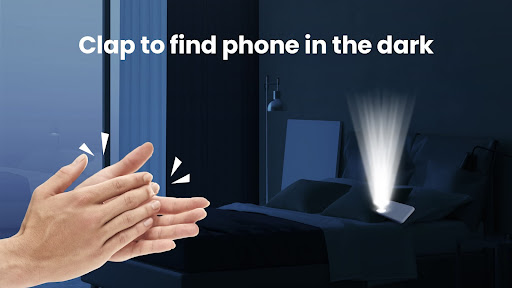
✔️Clap to find phone easily in a crowd, in the dark or at home
✔️Detect claps even in Silent or Do Not Disturb Mode
✔️Custom alarm sounds (tune, duration), flashlight and vibration
✔️Adjust the sensitivity of clap detection and protect the phone from theft
💥How to use Find My Phone by Clap?💥
1. Click the Activate button of the clap finder
2. Grant the Camera and Microphone Permission
3. Clap twice and wait for the phone to detect the clapping sound
4. Find phone by following the ringing, flashing and vibrating alerts
5. Before the activation, freely set the alarm sound, flashlight and vibration
Find My Phone by Clap is an excellent and user-friendly application for phone finding. With it, finding lost phone in a hidden corner is no longer annoying especially when you're busy. Experience the convenience and peace of mind, and find the phone by clapping.
Activate the clap to find my phone app and your phone’s just a clap away!
Cómo descargar Find My Phone by Clap APK
- Ingrese el nombre del paquete
findphone.clap.findmyphoneen la página de inicio de APK Downloader. - Seleccione la arquitectura de su dispositivo (se recomienda ARM64 para dispositivos modernos).
- Haga clic en Descargar para obtener el archivo APK fusionado.
- Transfiera e instale el APK en su dispositivo Android.
- Manténgase actualizado: Visite APK Downloader regularmente para buscar y descargar las últimas versiones seguras de sus aplicaciones favoritas.
Seguridad y Verificación de Firma
Esta descarga de APK es 100% segura. Verificamos que la firma criptográfica del archivo coincida con las credenciales oficiales del desarrollador. No se inyectan modificaciones ni adware.