
Fuentes de descarga
Device Configuration
Guía de instalación de APKs divididas (Split APKs)
Algunas aplicaciones se distribuyen como APKs divididas (varios archivos .apk empaquetados juntos) para optimizar recursos. Los instaladores estándar de Android no pueden abrirlas.
Aplicaciones Relacionadas




Acerca de esta aplicación
About this app
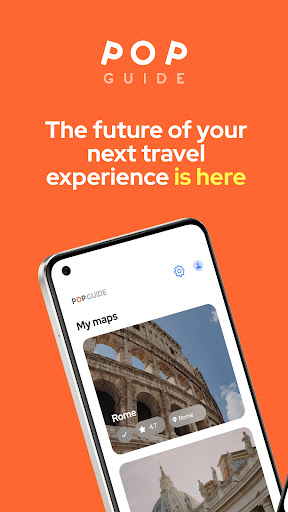
POPGuide is your self-guide tour in your pocket!
POPGuide is an interactive destination, mapping, and audio guide app that enables self-guided sightseeing experiences in over 150 cities worldwide — fully available offline.
Discover hundreds of points of interest and curated itineraries in each city, and explore at your own pace with integrated, easy-to-use navigation and immersive audio storytelling.
✈️ Key Features
Offline geolocation and GPS navigation along recommended walking, bus, tram, and river routes
Distance and estimated travel time (walking and driving)
Audio commentary narrated by native actors portraying famous historical figures
Engaging storytelling combining history, cultural insights, and unique trivia (each audio lasts up to 3 minutes)
Available in 6 languages: English, French, Spanish, German, Portuguese, and Chinese.
🏝️ Seamless Download & Background Audio Functionality
POPGuide uses foreground services to ensure uninterrupted audio playback, GPS tracking, and content downloads — even when the app is in the background, your screen is off, or your device is locked.
This allows continuous navigation, real-time location guidance, and seamless offline access while you explore.
🚀 Battery Usage Notice
POPGuide uses GPS location services to determine your position and provide navigation to selected points of interest. Because location tracking may continue while the app runs in the background, it can increase battery consumption. Users can disable device location services when the app is not in use to reduce battery usage.
Have feedback or suggestions? We’d love to hear from you!
Email us at [email protected] or reach out through the Contact Us form on our website. Your input helps us make POPGuide even better.
Terms and Conditions: https://popguide.herokuapp.com/terms_conditions/1400
Privacy Policy: https://popguide.herokuapp.com/privacy_policy/1400
Cómo descargar POPGuide APK
- Ingrese el nombre del paquete
io.populi.pop_app_androiden la página de inicio de APK Downloader. - Seleccione la arquitectura de su dispositivo (se recomienda ARM64 para dispositivos modernos).
- Haga clic en Descargar para obtener el archivo APK fusionado.
- Transfiera e instale el APK en su dispositivo Android.
- Manténgase actualizado: Visite APK Downloader regularmente para buscar y descargar las últimas versiones seguras de sus aplicaciones favoritas.
Seguridad y Verificación de Firma
Esta descarga de APK es 100% segura. Verificamos que la firma criptográfica del archivo coincida con las credenciales oficiales del desarrollador. No se inyectan modificaciones ni adware.