

Captures d'écran de l'APK de DVB Remote Control


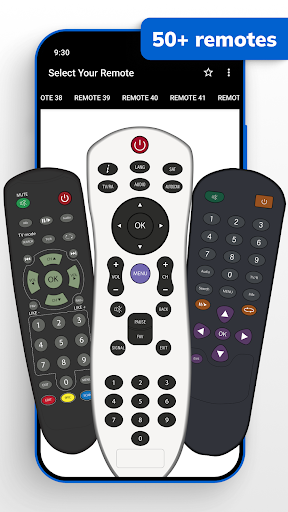


Informations sur l'application DVB Remote Control
Sources de téléchargement
Device Configuration
Guide d'installation des APKs divisées (Split APKs)
Certaines applications sont distribuées sous forme d'APKs divisées (plusieurs fichiers .apk groupés) pour optimiser les ressources. Les installateurs Android standard ne peuvent pas les ouvrir.
Nouveautés de DVB Remote Control
New Remotes Added
High-Definition Graphics
Support 100+ Languages
UI Improvements
Many More....
À propos de DVB Remote Control
DVB Remote Control: Your New TV Companion! Lost your clicker again? No worries! This app turns your phone into a DVB Remote Control Tool within a couple of taps. The control apparatus is slightly sophisticated but ensures a set top box user absolute comfort.
Wave your worries goodbye, Set Top Box Remote Control For DVB is here to take control over your pains!
📄 TV Box Remote Controller Key Features: 📄
🎮 The DVB Remote Control functions are all supported;
🎮 Serves as a functional Set Top Box Remote Control For DVB for everyday purposes;
🎮 No delay, no installation required, use your phone as a controller instantly;
🎮 User friendly modern interfaces are easy on the eyes and brain;
🎮 TV Box Remote Controller for dozens of configured machines;
🎮 Compact and handy—your phone is a set of all controls;
🎮 The most seamless channel switching! Easy to use.
Control Made Easy Anytime, Anywhere! For this DVB Remote Control App, losing or breaking remotes is not a problem. App setup is simple, and exercising control is effortless. The Set Top Box Remote Control For DVB brings you value by ensuring boundaries to which you manage your volume, change channels, or even shift cursor functions experience control.
Seamless TV Box Remote Controller: 📺
You don't need to worry about time-consuming processes because no installation comes to mind with your DVB Remote Control. Launch the App which should take no time, and the remote box control is in your hands. You will experience simplicity of design which allows you to move with functions at high speed with no delays and blockages.
User Friendly Interface: 📱
The Set Top Box Remote Control For DVB is, in this case its setup, easy to control. In general control of the remote set box is not a problem as the design is the most modern and puts there about each button in proper order. You set the control your operation is to be straight forward and you will experience there working in comfort of not control confusion. TV Box Remote Controller is value to you as everything here is simplicity and speed, responsive and clear.
Reliable DVB Remote Control Tool:⚡
Satisfaction is integrating endless possibilities within a fingertip reach. The app is aimed ensuring you do not lose track of time, be it daily usage or beyond hours of binge watching. With support of major functionalities of your set-top box, it proves to be an apposite hand for your user-friendly Home Theatre.
Portable Entertainment Solution:📡
Stealthily, your phone can be transformed to a fully certified Set Top Box Remote Control For DVB. Easily storable within your pocket it offers the advantages of being a fully working TV Box Remote Controller. No more hunting for remotes DVB Remote Control Tool can be with you anytime.
Start Using Your DVB Remote Control Today! Smartly set an upgrade in your TV experience through the Set Top Box Remote Control For DVB. With the TV Box Remote Controller, the headache of losing a controller is in the past. Control your entertainment through effortless management within your reach.
Disclaimer
All product names, logos, brands, trademarks and registered trademarks, which are not owned by us, are property of their respective owners.
All company, product and service names used in this app are for identification purposes only. Use of these names, trademarks and brands does not imply endorsement.
This app is owned by us. We are not affiliated, associated, authorized, endorsed by, or in any way officially connected with any 3rd party apps or companies.
IMPORTANT:
This app needs your phone to have an Infrared sensor
Avis des utilisateurs

trop nul je recherche le nom de notre télévision et ça ne marche pas

cette application est meilleur, je te recommande de télécharger

trop super et facile

tres utile et pratique app Mercie
Comment télécharger l'APK de DVB Remote Control
- Entrez le nom du paquet
appinventor.ai_zainshakeel782.opencv2sur APK Downloader. - Sélectionnez l'architecture de votre appareil (ARM64 recommandé pour les appareils récents).
- Cliquez sur Télécharger pour obtenir le fichier APK fusionné.
- Transférez et installez l'APK sur votre appareil Android.
- Restez à jour: Visitez régulièrement APKDER.COM pour rechercher et télécharger les dernières versions sécurisées de vos applications préférées.
Aperçu de l'APK de DVB Remote Control
Téléchargez gratuitement la dernière version de DVB Remote Control APK par o16i Apps pour Android sur APKDER. Le téléchargement de l'APK officiel de DVB Remote Control (appinventor.ai_zainshakeel782.opencv2) est plus rapide, plus facile et plus sûr pour votre appareil Android.
Foire aux questions
Oui ! Chaque téléchargement d'APK fourni par APKDER est soumis à une vérification de sécurité rigoureuse. Nous vérifions que la signature cryptographique du fichier APK correspond à la signature officielle du développeur, garantissant ainsi que l'APK est original, intact et exempt de toute modification.
Pour l'installer, vous devez d'abord activer les "Sources inconnues" dans les paramètres de sécurité de votre appareil Android. Après avoir téléchargé le fichier APK depuis APKDER, appuyez dessus pour lancer l'installation et suivez les instructions.
Oui ! Dès que le développeur publie une nouvelle version de DVB Remote Control, nous mettons à jour l'APK sur APKDER. Vous pouvez simplement télécharger et installer le nouvel APK par-dessus l'ancien sans perdre vos données.
Oui. APKDER vous permet de contourner les restrictions géographiques et de télécharger directement les fichiers APK officiels, même si l'application ou le jeu n'est pas officiellement disponible dans le store de votre pays.
Un APK standard est un paquet d'installation unique. Un XAPK ou un APK divisé (Split APK) contient plusieurs fichiers de ressources (comme les extensions OBB ou des fichiers de mise en page spécifiques) packagés ensemble. Pour les installer, vous pouvez les télécharger individuellement ou utiliser des outils comme Split APKs Installer (SAI).
Sécurité et Vérification de Signature
Ce téléchargement APK est 100% sûr. Nous vérifions que la signature cryptographique du fichier correspond aux informations d'identification officielles du développeur. Aucune modification ni adware n'est injecté.


