
Sources de téléchargement
Device Configuration
Guide d'installation des APKs divisées (Split APKs)
Certaines applications sont distribuées sous forme d'APKs divisées (plusieurs fichiers .apk groupés) pour optimiser les ressources. Les installateurs Android standard ne peuvent pas les ouvrir.
Applications Connexes




Nouveautés
Patch attampting to fix the crash on 10% android devices and fixing the Restore Purchase issues.
À propos de cette application
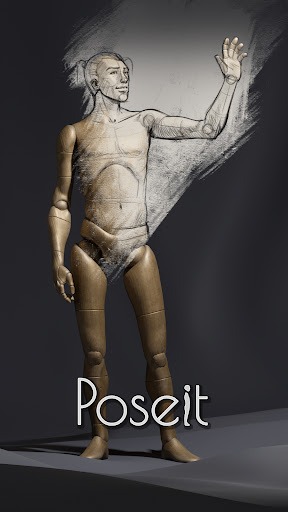
I like to think about this app as a natural evolution of the traditional drawing mannequin, I designed it to have minimal details and just some hints of anatomy, so it generalize well with any kind of character I want to draw. The screen space rotation method and others automatic features make your posing process faster and dynamic. After the latest updates it even supports Inverse Kinematic functions, has the female mannequin and props gallery.
Pose it and view it just the way you need it to strengthen and improve your human figure drawing skills.
Pose it was born as my personal tool to help me drawing the most challenging poses, during the lockdown I had to spend my vacations at home and I gave myself the challenge to polish it and publish it (yes it is my very first app). I hope it now can serve others as good as it served me :)
Comment télécharger l'APK de Poseit
- Entrez le nom du paquet
com.OneManBand.PoseItsur la page d'accueil d'APK Downloader. - Sélectionnez l'architecture de votre appareil (ARM64 recommandé pour les appareils récents).
- Cliquez sur Télécharger pour obtenir le fichier APK fusionné.
- Transférez et installez l'APK sur votre appareil Android.
- Restez à jour: Visitez régulièrement APK Downloader pour rechercher et télécharger les dernières versions sécurisées de vos applications préférées.
Sécurité et Vérification de Signature
Ce téléchargement APK est 100% sûr. Nous vérifions que la signature cryptographique du fichier correspond aux informations d'identification officielles du développeur. Aucune modification ni adware n'est injecté.