
Sources de téléchargement
Device Configuration
Guide d'installation des APKs divisées (Split APKs)
Certaines applications sont distribuées sous forme d'APKs divisées (plusieurs fichiers .apk groupés) pour optimiser les ressources. Les installateurs Android standard ne peuvent pas les ouvrir.
Applications Connexes




Nouveautés
Reactions are here, making it easy to respond with your favorite expressions without typing a word! Group messaging is now supported too, so you can text with multiple people in one conversation. You’ll also notice the app opens faster and feels more dependable overall thanks to ongoing performance improvements behind the scenes.
À propos de cette application
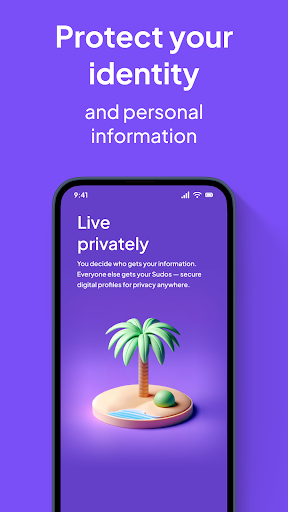
MySudo is the original all-in-one privacy app that lets you protect your information, secure your chat, and organize your life.
1. Protect your information with secure digital identities called Sudos, each with its own phone, email, handle, private browser, and virtual card. Anywhere you’d normally use your personal phone number, email or credit card, use your Sudo ones instead. Sign up for deals and discounts, book rental cars and hotel rooms, pay for concerts or a coffee—all without giving away your personal information.
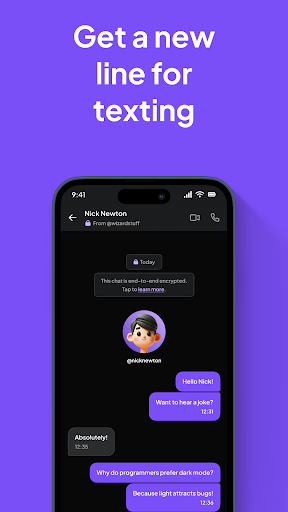
2. Secure your chat with end-to-end encrypted calls, texts and emails between MySudo users via your Sudo handle—or communicate standard outside the app with everyone else. Your Sudo phone and email work just like your personal ones AND they protect you from spam and scams.
3. Organize your life with multiple Sudo digital identities, each with a different purpose. Depending on your plan, you can have up to 9 Sudos, so you can shop with a Sudo, date with a Sudo, order food with a Sudo, sell second-hand stuff with a Sudo, live with a Sudo. What happens in a Sudo stays in the Sudo, so your information is safe and organized.
What’s in a Sudo?
* 1 email address – for end-to-end encrypted emails between app users, and standard email with everyone else
* 1 handle – for end-to-end encrypted messages and video, voice and group calls between app users
* 1 private browser – for searching the internet without ads and tracking
* 1 phone number (optional)* – for end-to-end encrypted messaging and video, voice and group calls between app users, and standard connections with everyone else; customizable and mutable
* 1 virtual card (optional)* – for protecting your personal info and your money, like a proxy for your credit or debit card or bank account
*Phone numbers and virtual cards only available on a paid plan. Phone numbers available for US, CA and UK only. Virtual cards for US only.
Select the paid plan that’s right for you
SudoGo – the budget plan with a phone number
* 1 phone number
* 3 Sudos
* 100 messages a month
* 30 mins talk time a month
* 3 GB space
SudoPro – the great value plan with more of everything
* 3 phone numbers
* 3 Sudos
* 300 messages a month
* 200 mins talk time a month
* 5 GB space
SudoMax – the most Sudos for the most options
* 9 phone numbers
* 9 Sudos
* Unlimited messages
* Unlimited calls
* 15 GB space
Protect your privacy, even with us
* We won’t ask for your email or phone number to create an account.
* You don’t need a registration login or password to use the app. Access is protected by a key that never leaves your device.
* We’ll only ask for personal information for virtual cards, and UK phone numbers, when a one-time identity verification is required.
Level up your MySudo experience
MySudo all-in-one privacy app is part of the MySudo app family:
* Bring your Sudos to your desktop with MySudo Desktop.
* Autofill your Sudo details directly from your web browser with MySudo Browser Extension.
* Get a VPN that’s actually private with MySudo VPN.
* Reclaim your personal info from the companies that store and sell it with RECLAIM.
MySudo plan terms
SudoGo, SudoPro and SudoMax monthly or yearly subscriptions will be charged to your Google Play account. Subscriptions automatically renew unless cancelled at least 24 hours before the end of the current period. Your account will be charged for renewal within 24 hours prior to the end of the current period. You can manage and cancel your subscriptions by going to your account settings on the Google Play Store after purchasing.
Subscription cancellations take effect after an active subscription has expired.
Privacy policy: https://mysudo.com/privacypolicy/
Terms of service: https://mysudo.com/tos/
Privacy choices: https://mysudo.com/privacy-choices
Reach out to us on X @MySudoApp or email at [email protected]
Comment télécharger l'APK de MySudo - Identity Protection
- Entrez le nom du paquet
com.anonyome.mysudosur la page d'accueil d'APK Downloader. - Sélectionnez l'architecture de votre appareil (ARM64 recommandé pour les appareils récents).
- Cliquez sur Télécharger pour obtenir le fichier APK fusionné.
- Transférez et installez l'APK sur votre appareil Android.
- Restez à jour: Visitez régulièrement APK Downloader pour rechercher et télécharger les dernières versions sécurisées de vos applications préférées.
Sécurité et Vérification de Signature
Ce téléchargement APK est 100% sûr. Nous vérifions que la signature cryptographique du fichier correspond aux informations d'identification officielles du développeur. Aucune modification ni adware n'est injecté.