

Captures d'écran de l'APK de ArcGIS Responder 10.9.1
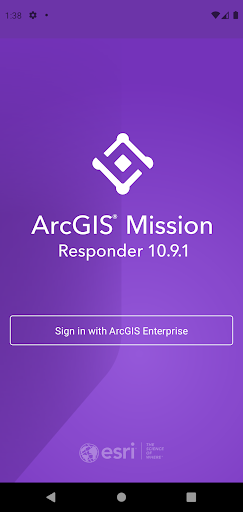

Informations sur l'application ArcGIS Responder 10.9.1
Sources de téléchargement
Device Configuration
Guide d'installation des APKs divisées (Split APKs)
Certaines applications sont distribuées sous forme d'APKs divisées (plusieurs fichiers .apk groupés) pour optimiser les ressources. Les installateurs Android standard ne peuvent pas les ouvrir.
Nouveautés de ArcGIS Responder 10.9.1
- Chat messages that allow text, attachments, and sketches (A map markup)
- Secure, protected connection to ArcGIS Enterprise
- View and participate in active missions of ArcGIS Enterprise
- View, interact and explore mission maps, layers and other resources
- Send instant messages to other users, teams and all mission participants
- Receive, view, and respond to user-specific tasks
- Use an optimized report form to create and view reports from the field
À propos de ArcGIS Responder 10.9.1
NOTE: ArcGIS Mission Responder Version 21.2 is only compatible with ArcGIS Enterprise 2021 (10.9.1) and is not compatible with previous versions of ArcGIS Enterprise.
ArcGIS Mission is a focused, tactical situational awareness solution that is fully integrated with Esri’s market leading ArcGIS Enterprise product. ArcGIS Mission allows organizations to create, share, and operate in missions using integrated maps, teams, and other mission related materials like photographs, documents, map products, and other information types. ArcGIS Mission is designed to provide organizations with a real-time view of their common operating picture and provides remote, mobile users with situational understanding to be able to answer the question, “What’s going on around me right now?”.
As the mobile component of ArcGIS Mission, Responder is the mobile app that enables operators to maintain communications and collaboration with their teammates as well as others in support of, and participating in, the mission through real time messaging and reporting.
Key Features:
- Chat messages that allow text, attachments, and sketches (A map markup)
- Secure, protected connection to ArcGIS Enterprise
- View and participate in active missions of ArcGIS Enterprise
- View, interact and explore mission maps, layers and other resources
- Send instant messages to other users, teams and all mission participants
- Receive, view, and respond to user-specific tasks
- Use an optimized report form to create and view reports from the field
- Create simple map sketches to communicate and collaborate with other mission participants
Note: Continued use of GPS running in the background can dramatically decrease battery life.
Comment télécharger l'APK de ArcGIS Responder 10.9.1
- Entrez le nom du paquet
com.esri.responder.tennineonesur APK Downloader. - Sélectionnez l'architecture de votre appareil (ARM64 recommandé pour les appareils récents).
- Cliquez sur Télécharger pour obtenir le fichier APK fusionné.
- Transférez et installez l'APK sur votre appareil Android.
- Restez à jour: Visitez régulièrement APKDER.COM pour rechercher et télécharger les dernières versions sécurisées de vos applications préférées.
Foire aux questions
Oui ! Chaque téléchargement d'APK fourni par APKDER est soumis à une vérification de sécurité rigoureuse. Nous vérifions que la signature cryptographique du fichier APK correspond à la signature officielle du développeur, garantissant ainsi que l'APK est original, intact et exempt de toute modification.
Pour l'installer, vous devez d'abord activer les "Sources inconnues" dans les paramètres de sécurité de votre appareil Android. Après avoir téléchargé le fichier APK depuis APKDER, appuyez dessus pour lancer l'installation et suivez les instructions.
Oui ! Dès que le développeur publie une nouvelle version de ArcGIS Responder 10.9.1, nous mettons à jour l'APK sur APKDER. Vous pouvez simplement télécharger et installer le nouvel APK par-dessus l'ancien sans perdre vos données.
Oui. APKDER vous permet de contourner les restrictions géographiques et de télécharger directement les fichiers APK officiels, même si l'application ou le jeu n'est pas officiellement disponible dans le store de votre pays.
Un APK standard est un paquet d'installation unique. Un XAPK ou un APK divisé (Split APK) contient plusieurs fichiers de ressources (comme les extensions OBB ou des fichiers de mise en page spécifiques) packagés ensemble. Pour les installer, vous pouvez les télécharger individuellement ou utiliser des outils comme Split APKs Installer (SAI).
Sécurité et Vérification de Signature
Ce téléchargement APK est 100% sûr. Nous vérifions que la signature cryptographique du fichier correspond aux informations d'identification officielles du développeur. Aucune modification ni adware n'est injecté.


