
Sources de téléchargement
Device Configuration
Guide d'installation des APKs divisées (Split APKs)
Certaines applications sont distribuées sous forme d'APKs divisées (plusieurs fichiers .apk groupés) pour optimiser les ressources. Les installateurs Android standard ne peuvent pas les ouvrir.
Applications Connexes


Nouveautés
Thank you for using Migii TOEIC! We have fixed the bugs and improved the application to make it even better.
Do you love studying with Migii TOEIC? Please share with everyone by posting a comment. Thank you!
À propos de cette application
TOEIC® PRACTICE TEST WIN ALL SCORE
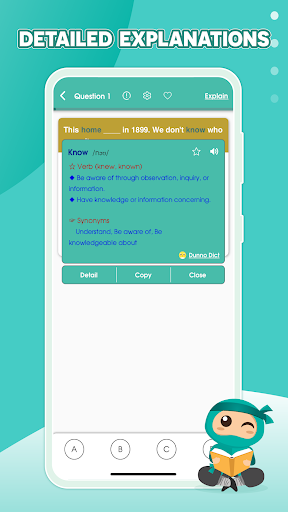
More than 12,000 exercises and TOEIC® sample tests full answers and extremely detailed explanations .
WHY SHOULD YOU CHOOSE Migii Prep – TOEIC® L&R Test?
- We have a good English editor system to assist you in the learning process so that you can achieve your TOEIC® goals.
- A clear learning path, suitable for self-learners
- Diverse system of questions and exercises, huge data with extremely detailed answers and explanations, closely following the exam structure.
- Spot weaknesses and suggest improvements to quickly gain points
- Save time and money in finding ineffective learning methods
Scientific English level test and practice schedule
👉 English proficiency test from A to Z with a proven learning path
👉 Learn English vocabulary by Toeic level
👉 Learn English grammar
TOEIC® listening and reading practice test:
- Listening TOEIC® part 1: Description of images
- Listening TOEIC® part 2: Questions and answers
- Listening TOEIC® part 3: Conversation
- Listening TOEIC® part 4: Short talk
- TOEIC® reading comprehension part 5: Fill in the sentence
- TOEIC® reading comprehension part 6: Fill in the passage
- Reading TOEIC® part 7: Reading comprehension paragraph
Migii TOEIC® - Attractive TOEIC® practice test function:
- Mockup test: TOEIC® sample test like real exam
- Theory: TOEIC® test theory and tips
- Personalization: Exclusive TOEIC® Route by Migii
If you have any questions and suggestions, please send them to the email address: [email protected]
Your contribution is the driving force for us to develop more and more perfect application.
---------------------
TOEIC® is a registered trademark of Educational Testing Service (ETS).
This product is not endorsed or approved by ETS.
Comment télécharger l'APK de Migii Prep – TOEIC® L&R Test
- Entrez le nom du paquet
com.eup.migiitoeicsur la page d'accueil d'APK Downloader. - Sélectionnez l'architecture de votre appareil (ARM64 recommandé pour les appareils récents).
- Cliquez sur Télécharger pour obtenir le fichier APK fusionné.
- Transférez et installez l'APK sur votre appareil Android.
- Restez à jour: Visitez régulièrement APK Downloader pour rechercher et télécharger les dernières versions sécurisées de vos applications préférées.
Sécurité et Vérification de Signature
Ce téléchargement APK est 100% sûr. Nous vérifions que la signature cryptographique du fichier correspond aux informations d'identification officielles du développeur. Aucune modification ni adware n'est injecté.