Sources de téléchargement
Device Configuration
Guide d'installation des APKs divisées (Split APKs)
Certaines applications sont distribuées sous forme d'APKs divisées (plusieurs fichiers .apk groupés) pour optimiser les ressources. Les installateurs Android standard ne peuvent pas les ouvrir.
Nouveautés
Bug fixed.
À propos de cette application
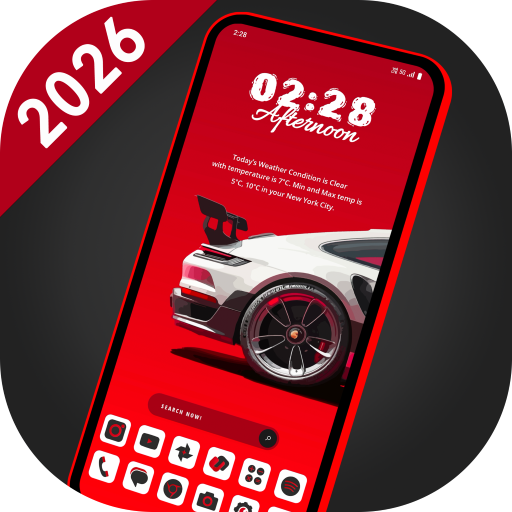
Welcome to Strip Hi-tech Launcher, your gateway to a seamless and stylish Android experience. Unlock the power of AppLock, HideApp, Hitech Wallpaper, Folders, and Themes - all in one incredible package. With its futuristic UI, customizable themes, and powerful features, Strip Hi-tech Launcher is the perfect way to make your Android phone feel like a brand new device. This is a perfect user interface design which gives user to easy and better interactive control experience. It provides more wonderful and useful features and any color themes which enhance your phone with different styles.
Features:
🌄 Dynamic Wallpapers:
Dive into the world of dynamic hi-tech wallpapers that adapt to your chosen theme. Adjust color transparency to your preference and even use images from your personal gallery to personalize your home screen.
⏰ Widget:
Explore a comprehensive collection of widgets, including Clock, Weather, Memory Analyzer, Music Player, Calendar, Map, and Battery Widgets. All the essential information is right at your fingertips.
🔒 AppLock:
Secure your apps with ease using our built-in AppLock feature. No need for additional apps - for App lock feature.
🙈 HideApps:
Keep your sensitive apps discreet with our fingerprint hide app feature. Effortlessly conceal apps from your main app list for enhanced privacy.
🎨 Icon Pack Delight:
Indulge in our Icon Pack features, including an exclusive white icon pack that adapts to your chosen color. Plus, enjoy compatibility with third-party icon packs for even more personalization.
🎨 Theme Color Selection:
Immerse yourself in a world of color with millions of theme color options. Watch as your entire launcher transforms to exude a futuristic hitech vibe.
⌨️ Futuristic Keyboard:
Choose from over 50 hi-tech keyboards that offer a futuristic typing experience within the launcher.
✋ Gesture Controls:
Master your device's navigation with intuitive gestures. Swipe, tap, and double-tap to execute various operations effortlessly.
📂 Organize with Folders:
Effortlessly manage your apps using our intuitive folder feature. Convert icons into folders and vice versa by simply long-pressing on them.
🎨 Personalize Your Device:
Transform your device by personalizing it to the fullest. Long-press to modify apps and create a truly tailored experience.
Download Strip Hi-tech Launcher today and experience the future of Android launchers!
Avis des utilisateurs

Impossible de personnaliser le fond d'ecran

👌 Cool App du fond d'écran
تصميم جميل سهل الاستعمال
Comment télécharger l'APK de Strip Hi-tech Launcher
- Entrez le nom du paquet
com.lw.striphitechlaunchersur APK Downloader. - Sélectionnez l'architecture de votre appareil (ARM64 recommandé pour les appareils récents).
- Cliquez sur Télécharger pour obtenir le fichier APK fusionné.
- Transférez et installez l'APK sur votre appareil Android.
- Restez à jour: Visitez régulièrement APKDER.COM pour rechercher et télécharger les dernières versions sécurisées de vos applications préférées.
Sécurité et Vérification de Signature
Ce téléchargement APK est 100% sûr. Nous vérifions que la signature cryptographique du fichier correspond aux informations d'identification officielles du développeur. Aucune modification ni adware n'est injecté.