
Sources de téléchargement
Device Configuration
Guide d'installation des APKs divisées (Split APKs)
Certaines applications sont distribuées sous forme d'APKs divisées (plusieurs fichiers .apk groupés) pour optimiser les ressources. Les installateurs Android standard ne peuvent pas les ouvrir.
Applications Connexes




Nouveautés
Bug fixes and usage optimisation
À propos de cette application
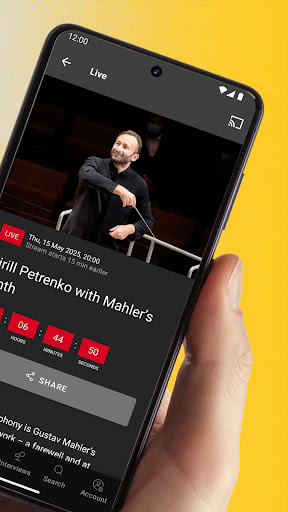
Treat yourself to a guest performance by the Berliner Philharmoniker - live and on demand
Closer to the music: In the Digital Concert Hall, you always have the best seat in the house! Each season, over 40 concerts are broadcast live and then offered in the on-demand archive. There are already hundreds of concert videos featuring all the stars of classical music, plus interviews, films and playlists.
Register now and test the Digital Concert Hall for 7 days - free of charge and without obligation!
The Digital Concert Hall at a glance:
• Over 40 live broadcasts per season with all the stars of classical music
• Hundreds of archive concerts from six decades on demand
• Free interviews and concert introductions
• Fascinating documentaries, portraits and playlists
• Free educational concerts for the whole family
• Highest Quality: 4K UHD Video, Hi-Res Audio, Immersive Audio (Dolby Atmos)
Terms of use: https://www.digitalconcerthall.com/terms
Comment télécharger l'APK de Berliner Philharmoniker
- Entrez le nom du paquet
com.novoda.dchsur la page d'accueil d'APK Downloader. - Sélectionnez l'architecture de votre appareil (ARM64 recommandé pour les appareils récents).
- Cliquez sur Télécharger pour obtenir le fichier APK fusionné.
- Transférez et installez l'APK sur votre appareil Android.
- Restez à jour: Visitez régulièrement APK Downloader pour rechercher et télécharger les dernières versions sécurisées de vos applications préférées.
Sécurité et Vérification de Signature
Ce téléchargement APK est 100% sûr. Nous vérifions que la signature cryptographique du fichier correspond aux informations d'identification officielles du développeur. Aucune modification ni adware n'est injecté.