
Sources de téléchargement
Device Configuration
Guide d'installation des APKs divisées (Split APKs)
Certaines applications sont distribuées sous forme d'APKs divisées (plusieurs fichiers .apk groupés) pour optimiser les ressources. Les installateurs Android standard ne peuvent pas les ouvrir.
Applications Connexes




Nouveautés
+ Defect fixing.
À propos de cette application
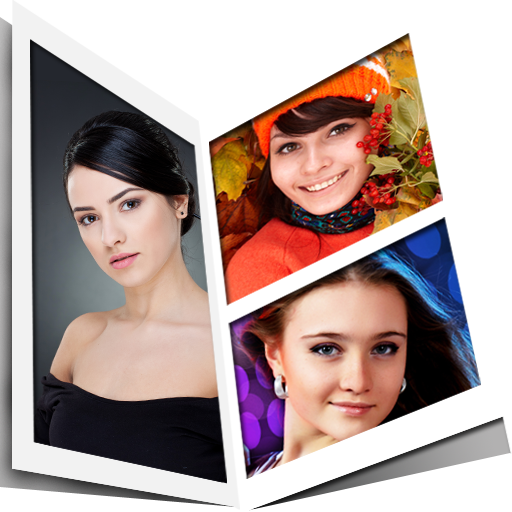
Photo Collage to combine photos and merge photos. Picsmix is the photo collage maker app. This collage maker app supports different types of grid collages, pip collages, poster and magazine collage functionalities. This pic collage app supports plenty of photo collage templates and photo layouts. It’s free collage app and you can edit your photo collage with filters, text write and stickers.
The picmix app is a photo merging app that has many features that allow you to add border to photos, merge images, blend pictures and create a picture layout. Use this app to blend photos together really smooth and join photos to make it look nice and give it perfection. You can also make a collage of the beautiful pictures you got by blending images. You can merge images or pictures to make a new beautiful picture. You also can combine images and connect photos to get creative effects and can also improve the quality of the picture by doing this.
Combine photos by keeping side by side photo using different layouts using photo collage editor. Build collage by applying different filters. Edit photos like a pro with this pic merger. Pic grids maker allows you to add different patterns and colours to the photo grid . Split pics using different types of frames. Use multiple frames for photos for the enhanced look and add background colours to them. This photo stitcher adds multiple photos and combine photos into a single image.Try our pic grids app to joint pictures together and make professional photos very easily.
Do you want to automatically merge pics then you are at the right place. This pic merge app not only merge pics but can also apply different filters to the photos to enhance the overall look of the photos. This side by side photo maker is one of the simplest and user friendly app to use. Our picsmix app is the photo merging app to edit photos and make them into beautiful picture collage.
Key Features:
Photo collage editor
Photo collage editor also helps you to edit your photos, it supports hundreds of photo filters and editing options, you can use it as photo editor and collage maker. Mix your pics into some amazing collages using this pic grid mixer. You can add text and stickers to picture and you can apply effects and filters to photos.
Collage templates and layouts
You can mix up to 9 photos using this app. This pic collage free supports hundreds of collage layouts and you can stitch your pics.
General features available in our grid maker app are
* Choose the type of collage you want for example PIP collage.
* Make frames for your photos and choose a template that suits to edit photos.
* Add borders to photos of your choice and adjust them if needed using grid maker.
* Change the background if you want to and join photos.
* Add a nice sticker to make the foto collage look better .
* If your image is inverted you can use the flip image with this split pic app.
* Add text to the images to make it more detailed, there are many fonts available for the text, you can adjust the size and choose the color you want.
* Share the beautiful insta collage you just made with your friends & family.
Pip collage and Pic Collage
Pic collage gives you the best way to blend pictures in picture in picture format. You can also apply different filters and layouts with this side by side photo app.
Magazine cover maker
You can also make professional magazine covers using this pic collage app.
Poster Maker
Blend pictures and make beautiful posters with the professionally designed posters available in the split pic app.
Download our picsmix app to combine photos or merge images as this is the easiest photo merging app that is available for free.
You can share your photo collages on platforms like Instagram, Facebook, gmail, Twitter, Line, Pinterest and Tumblr etc using this.
Comment télécharger l'APK de Photo Collage : Photo Editor
- Entrez le nom du paquet
com.picsmix.androidsur la page d'accueil d'APK Downloader. - Sélectionnez l'architecture de votre appareil (ARM64 recommandé pour les appareils récents).
- Cliquez sur Télécharger pour obtenir le fichier APK fusionné.
- Transférez et installez l'APK sur votre appareil Android.
- Restez à jour: Visitez régulièrement APK Downloader pour rechercher et télécharger les dernières versions sécurisées de vos applications préférées.
Sécurité et Vérification de Signature
Ce téléchargement APK est 100% sûr. Nous vérifions que la signature cryptographique du fichier correspond aux informations d'identification officielles du développeur. Aucune modification ni adware n'est injecté.