
Sources de téléchargement
Device Configuration
Guide d'installation des APKs divisées (Split APKs)
Certaines applications sont distribuées sous forme d'APKs divisées (plusieurs fichiers .apk groupés) pour optimiser les ressources. Les installateurs Android standard ne peuvent pas les ouvrir.
Applications Connexes




Nouveautés
eSchoolPLUS Family version 1.7.3 is now available for download.
Key Fix:
- Updated Android SDK to version 35
À propos de cette application
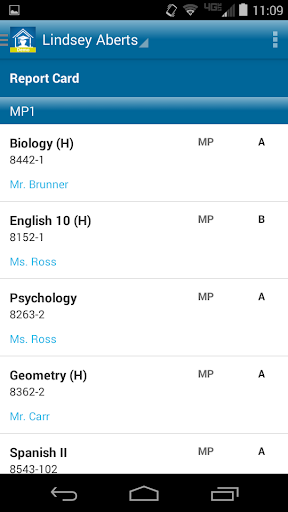
Easy to download and easy to use, the eSchoolPLUS Family App provides information for student success available for the parent on the go. Parents simply log in and select a student and view vital information—right at their fingertips. Right from the home screen, parents can choose from easy-to-view icons to access activities, notifications, classwork, report card, schedule, attendance, and more!
This app is free to families of schools that have eSchoolPLUS Mobile Connector enabled. If your school does not show up, please contact your school district for more information.
Feature List:
Alerts: Parents will be alerted of important notifications right on the home screen. They can receive unique alerts for things such as:
* Attendance
* Student Fees
* Grades
* School Updates
* ...and more
Schedule: Let parents know where their children are on any given day throughout the year. Details include:
* Dates and times
* Class names
* Room numbers
* Teacher assignments
Resources for Success
* Provide extra resources such as lunch menus, social media accounts, and a unique RSS feed.
* Plus, parents will always have access to important transportation information like pickup times, pickup days, bus number assignment, and bus stop location.
Classwork: Provide detailed classwork information for parents and students to reference, such as:
* Due dates
* Descriptions
* Categories
* Associated links
* Scores
* ...and more
Grades on the Go: Parents can stay up-to-date on student success through detailed comments, class grades, and interim progress reports and report cards.
Calendar: Assignments, events, activities, and tardies can be viewed as month or list details and can be synced with personal calendars for easy access.
Activities: Always keep parents and students up-to-date on when practices, clubs, and events will take place and show information such as:
* Activity name
* Instructor/coach
* Location
* Dates and times
Comment télécharger l'APK de eSchoolPLUS Family
- Entrez le nom du paquet
com.sungardps.plus360homesur la page d'accueil d'APK Downloader. - Sélectionnez l'architecture de votre appareil (ARM64 recommandé pour les appareils récents).
- Cliquez sur Télécharger pour obtenir le fichier APK fusionné.
- Transférez et installez l'APK sur votre appareil Android.
- Restez à jour: Visitez régulièrement APK Downloader pour rechercher et télécharger les dernières versions sécurisées de vos applications préférées.
Sécurité et Vérification de Signature
Ce téléchargement APK est 100% sûr. Nous vérifions que la signature cryptographique du fichier correspond aux informations d'identification officielles du développeur. Aucune modification ni adware n'est injecté.