
Sources de téléchargement
Device Configuration
Guide d'installation des APKs divisées (Split APKs)
Certaines applications sont distribuées sous forme d'APKs divisées (plusieurs fichiers .apk groupés) pour optimiser les ressources. Les installateurs Android standard ne peuvent pas les ouvrir.
Applications Connexes




Nouveautés
- Export progress screen now shows fun, dynamic messages with animations instead of generic status text
- Added success message when saving routes
- Improved map interaction: long-press menu now opens at your finger position, not the point location
- Empty annotations (with no text or media) are no longer saved to routes
- Better handling of temporary route points when tapping near existing points
- Enhanced device identification for improved debugging support
À propos de cette application
Are your travel memories fading away in dusty photo albums? It's time to bring them to life with Travel Animator!
Embark on a map journey of creativity & storytelling with our innovative animated travel mapping app. Just like the popular map travel animation apps, Travel Animator, one of the best travel map animation maker app is here to help you create travel blogging in an exciting & dynamic way. Share your animated travel route map video with your friends & families.
🌍 Travel Map Animation Maker: Share your travel routes:
With Travel Animator, your travel experiences come to life like never before. Create stunning route animations of your travel mapping, turning static photos into animated masterpieces that capture the essence of your wanderlust.
🗺️ Interactive Travel Maps:
Plot your map journey on interactive travel maps to give your audience a real sense of place. Highlight key landmarks, activities, & hidden gems along the way. It's like having a personal animated travel mapping that comes to life with a touch of your finger.
📢 Share Your Animated Travel Route Map Video:
Share your animated travel stories effortlessly with friends, family, & fellow travelers. Whether it's on social media, or directly within the map creator app, inspire others to embark on their adventures.
🌟 Key Features: Trip Animation
User-Friendly Interface: Intuitive & easy-to-use, Travel Animator is designed for travelers of all levels to create travel blogging.
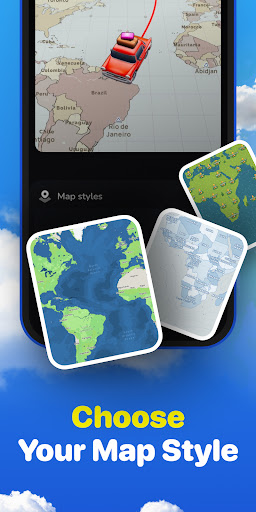
Animation Styles: Choose from various animation styles to suit your travel memories.
Map Animator Integration: Seamlessly integrate your map travel animation & showcase your travel route.
Share trip animation with the World: Share your animated travel maps on social media or privately with friends & family.
Why Choose Travel Animator?
Whether you're a seasoned globetrotter or a weekend wanderer, Travel Animator is your perfect companion for reliving & sharing your journey mapping experiences. Our user-friendly interface & creative tools make it easy for anyone to become a travel storyteller.
Don't let your travel memories gather dust. Download Travel Animator today & turn your adventures into animated masterpieces that will inspire & amaze you!
Get ready to create your journey mapping with Travel Animator, one of the best travel map animation maker app!
Comment télécharger l'APK de TravelAnimator・Journey Route
- Entrez le nom du paquet
com.travelanimator.routemapsur la page d'accueil d'APK Downloader. - Sélectionnez l'architecture de votre appareil (ARM64 recommandé pour les appareils récents).
- Cliquez sur Télécharger pour obtenir le fichier APK fusionné.
- Transférez et installez l'APK sur votre appareil Android.
- Restez à jour: Visitez régulièrement APK Downloader pour rechercher et télécharger les dernières versions sécurisées de vos applications préférées.
Sécurité et Vérification de Signature
Ce téléchargement APK est 100% sûr. Nous vérifions que la signature cryptographique du fichier correspond aux informations d'identification officielles du développeur. Aucune modification ni adware n'est injecté.