
Sources de téléchargement
Device Configuration
Guide d'installation des APKs divisées (Split APKs)
Certaines applications sont distribuées sous forme d'APKs divisées (plusieurs fichiers .apk groupés) pour optimiser les ressources. Les installateurs Android standard ne peuvent pas les ouvrir.
Applications Connexes



Nouveautés
- Name changed from "SL Extra" to "SL Screen Off plugin"
- Included a new disclousure as required by the recent changes to the Google Play Store policies
À propos de cette application
This app works only with Smart Launcher
This app uses the Device Administrator permission, in order to use a restricted API that allows to turn off your device screen
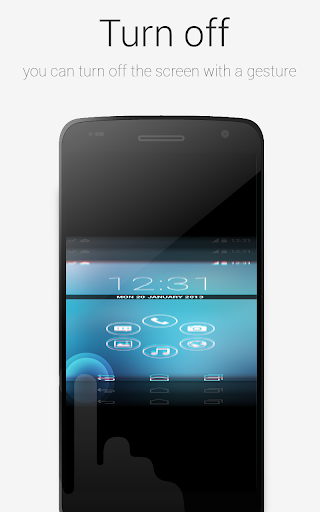
This plugin will enable Smart Launcher to use some extra features. Actually you need this plugin to turn off the screen with a double tap using Smart Launcher. The plugin is very lightweight (only few kb) and doesn't influence battery life and memory usage.
PLEASE NOTE: SL extra requires some advanced permission (just to turn off the screen indeed). So after enabling it, you won't be able to uninstall this app unless you disable it in the SL's preferences. Then you will be able to uninstall this app like every other app. Here is a video tutorial:
https://www.youtube.com/watch?v=lV7cjqdWXro
If you think this procedure is too hard for you, just don't install this app. You will still be able to use the most part of the Smart Launcher features.
Comment télécharger l'APK de SL Screen Off plugin
- Entrez le nom du paquet
ginlemon.smartlauncher.extratoolsur la page d'accueil d'APK Downloader. - Sélectionnez l'architecture de votre appareil (ARM64 recommandé pour les appareils récents).
- Cliquez sur Télécharger pour obtenir le fichier APK fusionné.
- Transférez et installez l'APK sur votre appareil Android.
- Restez à jour: Visitez régulièrement APK Downloader pour rechercher et télécharger les dernières versions sécurisées de vos applications préférées.