
Sources de téléchargement
Device Configuration
Guide d'installation des APKs divisées (Split APKs)
Certaines applications sont distribuées sous forme d'APKs divisées (plusieurs fichiers .apk groupés) pour optimiser les ressources. Les installateurs Android standard ne peuvent pas les ouvrir.
Applications Connexes




Nouveautés
What's new in this version:
- Bug fixes and performance improvements
Thanks for downloading the latest version of Till!
À propos de cette application
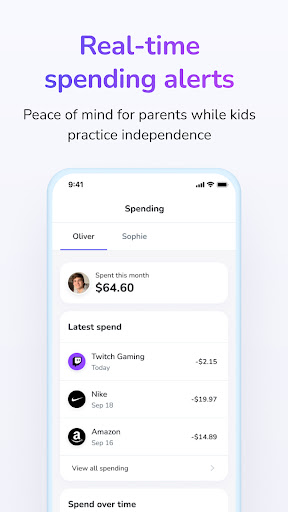
Help your kids build smart money habits with Till's family banking app and debit card. With features like automated allowance, spending insights, and rewards, kids learn financial responsibility through hands-on experience. Till helps families learn, earn, and grow together.
With Till, you can:
- Pay for everyday items with your own debit card
- Add Till Card to Google Wallet
- Track spending and saving
- Give money to kids instantly
- Automate allowance payments
- Securely link to an external bank account
- Refer friends and family to earn bonuses
Benefits for kids:
- Independence of making their own financial decisions
- Learn through experience with spending
- Easier to use in the cashless economy
- Access to money when they need it
- Preparation for the real world
- Buy the things they want and learn saving techniques
Benefits for parents:
- Makes monitoring kids’ spending simple
- Take the stress out of family conversations about money
- Peace of mind that kids are doing the right thing
- Confidence that they’ll be ready for the future
- Easy to use, easy to make sure kids have the money they need
- Refer friends and family to earn bonuses
Disclosures
Till is a financial technology company, not a bank. Banking Services provided by Coastal Community Bank, Member FDIC. Till accounts are FDIC insured up to $250,000 per depositor through Coastal Community Bank, Member FDIC. FDIC insurance only covers the failure of an FDIC-insured bank. FDIC insurance is available through pass-through insurance at Coastal Community Bank, Member FDIC, if certain conditions have been met. The Till Visa Card is issued by Coastal Community Bank pursuant to license by Visa U.S.A. Inc.
Coastal Community Bank Privacy Policy https://www.coastalbank.com/privacy-notice.html
Referral program T&Cs: https://www.tillfinancial.com/referral-programs
Comment télécharger l'APK de Till: Debit Card for Kids
- Entrez le nom du paquet
io.tillfinancial.tillsur la page d'accueil d'APK Downloader. - Sélectionnez l'architecture de votre appareil (ARM64 recommandé pour les appareils récents).
- Cliquez sur Télécharger pour obtenir le fichier APK fusionné.
- Transférez et installez l'APK sur votre appareil Android.
- Restez à jour: Visitez régulièrement APK Downloader pour rechercher et télécharger les dernières versions sécurisées de vos applications préférées.
Sécurité et Vérification de Signature
Ce téléchargement APK est 100% sûr. Nous vérifions que la signature cryptographique du fichier correspond aux informations d'identification officielles du développeur. Aucune modification ni adware n'est injecté.