
Sources de téléchargement
Device Configuration
Guide d'installation des APKs divisées (Split APKs)
Certaines applications sont distribuées sous forme d'APKs divisées (plusieurs fichiers .apk groupés) pour optimiser les ressources. Les installateurs Android standard ne peuvent pas les ouvrir.
Applications Connexes



Nouveautés
🎥 AI HD Enhance: Turn low-quality videos into clear HD.
🎨 Subtitle Styles: New presets and fonts added.
🚀 Playback optimized for a smoother experience.
À propos de cette application
Video Player All Format - Your Powerful & Free Android Video Player!
This max video player supports full HD videos up to 4K and 1080p, delivering stunning video quality. With its easy controls and subtitle support, you can fully immerse yourself in your favorite videos!
Experience the best video player - Video Player All Format:
🌟 Supports ALL video formats: MKV, MP4, AVI, WMV, RMVB, TS, MOV, 3GP, FLV, etc.
🌟 Crystal-clear HD Video Player
🌟 Resume playback from the last watched location
🌟 Adjust video speed from 0.5x to 2x
🌟 Easy operation with gesture controls
🌟 Automatically detects videos on phone and SD card
🌟 Manage videos with rename and additional options
🌟 Sleep Timer & Night Mode for a comfortable experience
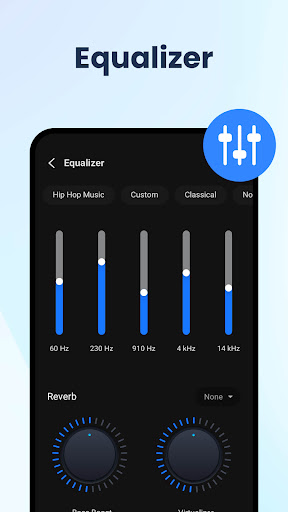
🌟 Fine-tune audio with a Five-band equalizer and bass boost
🌟 Download and add subtitles to your videos
🎬 HD Video Player with Many Features!
Experience high-quality video playback with this versatile HD Video Player. Enjoy various features like 10-second fast forward and rewind for quick navigation. Fine-tune your sound with the built-in equalizer and reduce brightness with Night Mode for comfortable viewing.
✨ Subtitle Support - Elevate Your Video Experience!
Enhance your video experience with subtitle support. Watch your favorite movies and shows with added clarity and understanding. The HD Video Player ensures you never miss a word.
💡 Popup Play & Background Playback - Multitask like a Pro!
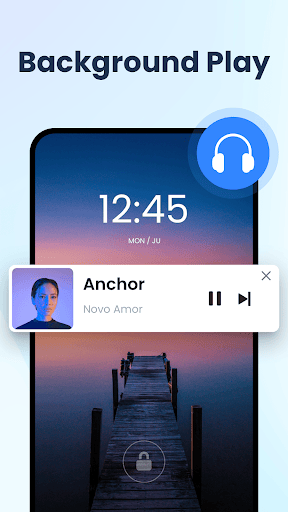
Multitask like a pro with Popup Play - watch videos in a floating window while you chat or browse. Plus, enjoy Background Playback to listen to your videos even when your screen is off.
⏩ Adjust Speed - Easily control the pace of playback
Take control of your video speed with this versatile Media Player. Adjust playback speed from 0.5x to 2.0x for slow motion or fast-forward viewing. Perfect for educational content or tutorials.
Discover the ultimate HD Video Player All Format for a seamless video playback. We'd love to hear your thoughts and suggestions! Reach out to us via email at [email protected]. Your feedback is valuable to us!
Comment télécharger l'APK de HD Video Player All Format
- Entrez le nom du paquet
maxplayer.video.videoplayersur la page d'accueil d'APK Downloader. - Sélectionnez l'architecture de votre appareil (ARM64 recommandé pour les appareils récents).
- Cliquez sur Télécharger pour obtenir le fichier APK fusionné.
- Transférez et installez l'APK sur votre appareil Android.
- Restez à jour: Visitez régulièrement APK Downloader pour rechercher et télécharger les dernières versions sécurisées de vos applications préférées.
Sécurité et Vérification de Signature
Ce téléchargement APK est 100% sûr. Nous vérifions que la signature cryptographique du fichier correspond aux informations d'identification officielles du développeur. Aucune modification ni adware n'est injecté.