
Sources de téléchargement
Device Configuration
Guide d'installation des APKs divisées (Split APKs)
Certaines applications sont distribuées sous forme d'APKs divisées (plusieurs fichiers .apk groupés) pour optimiser les ressources. Les installateurs Android standard ne peuvent pas les ouvrir.
Applications Connexes



Nouveautés
1. Fixed crash bugs
À propos de cette application
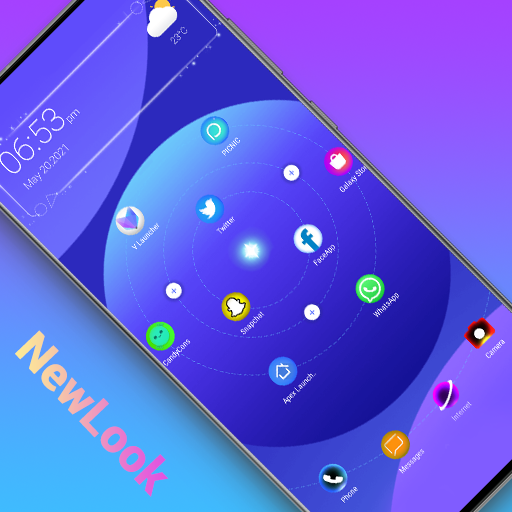
A Launcher is Galaxy A/S style launcher, bring you the latest Galaxy A/S phone experience, it make your phone like brand new Galaxy A & Galaxy S phone, get one ui 3.0 experience, just get and try!👍
🌟🌟🌟🌟🌟 A Launcher features:
+ A Launcher support beautiful themes, many icon packs, cool effects, huge customization, and much more.
+ A Launcher can be installed on all Android 5.0+ devices
+ A Launcher bring you latest Galaxy A One UI 3.0 launcher user experience
+ A Launcher's theme library has more than 300+ beautiful themes
+ A Launcher support all most all the third party icon pack on Google Play
+ Live launcher effects: wave, flowers, weather, feather, bubble...
+ Cool launcher transition effects for desktop: cube in/out, wave, cross...
+ Support 3D launcher parallax wallpaper, video wallpaper
+ Support 20+ icon shape: square, circle, love, cat, hive, star...
+ Support gestures: swipe up/down, pinch in/out, two fingers gesture
+ Apps drawer layout: A-Z location bar and app search bar in launcher drawer to find apps quickly
+ Apps drawer mode: horizontal mode, vertical mode, vertical with category
+ You can config launher icon grid, icon size
+ You can config launcher drawer background
+ You can do icon label color customization, lock desktop option
+ You can enable cool finger animation effect on launche desktop
+ A Launcher support hide apps and even lock apps to protect your privacy
+ A Launcher support notification badge in laucnher desktop
+ A Launcher has weather widget shown in laucnher desktop
Please try A Launcher, it will bring you the latest Galaxy A/S One UI 3.0 launcher user experience, and you may get many more powerful, funny, cool features.
❤️ Your comments and rating are welcome, it help us making A Launcher better and better, thanks a lot
Notice:
1. Android™ is a registered trademark of Google, Inc.
2. A Launcher's user experience is inspired by Galaxy A One UI launcher's user experience, it is NOT official Samsung™ Galaxy A launcher, we have NO official relationship with Samsung™, please be noticed of this. A Launcher is built to bring the latest Galaxy A phone experience to all Android phone users
Comment télécharger l'APK de A Launcher : Galaxy A Launcher
- Entrez le nom du paquet
newer.galaxya.launchersur la page d'accueil d'APK Downloader. - Sélectionnez l'architecture de votre appareil (ARM64 recommandé pour les appareils récents).
- Cliquez sur Télécharger pour obtenir le fichier APK fusionné.
- Transférez et installez l'APK sur votre appareil Android.
- Restez à jour: Visitez régulièrement APK Downloader pour rechercher et télécharger les dernières versions sécurisées de vos applications préférées.
Sécurité et Vérification de Signature
Ce téléchargement APK est 100% sûr. Nous vérifions que la signature cryptographique du fichier correspond aux informations d'identification officielles du développeur. Aucune modification ni adware n'est injecté.