
Sources de téléchargement
Device Configuration
Guide d'installation des APKs divisées (Split APKs)
Certaines applications sont distribuées sous forme d'APKs divisées (plusieurs fichiers .apk groupés) pour optimiser les ressources. Les installateurs Android standard ne peuvent pas les ouvrir.
Applications Connexes





Nouveautés
It’s almost summer, and that means bugs. Don’t worry, we’ve been hard at work squashing them, with assorted fixes to make the app even nicer to use. This release contains the all-new block editor — try it on any site from Site Settings.
À propos de cette application
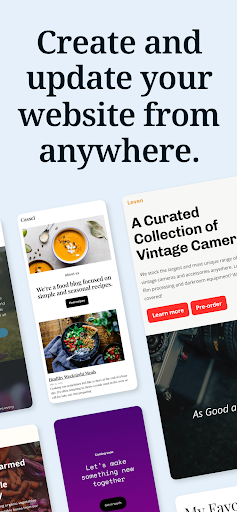
WordPress for Android puts the power of web publishing in your pocket. It’s a website creator and so much more!
CREATE
- Give your big ideas a home on the web. WordPress for Android is a website builder and a blog maker.
- Pick the right look and feel from a wide selection of WordPress themes, then customize with photos, colors, and fonts so it’s uniquely you.
- Built-in Quick Start tips guide you through the setup basics to set your new website up for success.
PUBLISH
- Create updates, stories, photo essays announcements -- anything! -- with the editor.
- Bring your posts and pages to life with photos and video from your camera and albums, or find the perfect image with the in-app collection of free-to-use pro photography.
- Save ideas as drafts and come back to them when your muse returns, or schedule new posts for the future so your site is always fresh and engaging.
- Add tags and categories to help new readers discover your posts, and watch your audience grow.
STATS
- Check your website’s stats in real time to keep track of the activity on your site.
- Track which posts and pages get the most traffic over time by exploring daily, weekly, monthly, and yearly insights.
NOTIFICATIONS
- Get notifications about comments, likes, and new followers so you can see people reacting to your website as it happens.
- Reply to new comments as they show up to keep the conversation flowing and acknowledge your readers.
READER
- Explore thousands of topics by tag, discover new authors and organizations, and follow the ones who pique your interest.
- Hang on to the posts that fascinate you with the Save for later feature.
SHARE
- Set up automated sharing to tell your followers on social media when you publish a new post.
- Add social sharing buttons to your posts so your visitors can share them with their network, and let your fans become your ambassadors.
Why WordPress?
There are a lot of blogging services, website builders, and social networks out there. Why create your website with WordPress?
WordPress powers over a third of the web. It’s used by hobby blogs, businesses of all sizes, online stores, even the biggest news sites on the internet. Odds are that many of your favorite websites are running on WordPress.
With WordPress, you own your own content. Other social networks treat you as a commodity, and assume ownership of the content you post. But with WordPress anything you publish is yours, and you can take it with you wherever you’d like.
Whether you need a website builder to create your website, or a simple blog maker, WordPress can help. It gives you beautiful designs, powerful features, and the freedom to build anything you want.
California users privacy notice: https://wp.me/Pe4R-d/#california-consumer-privacy-act-ccpa.
Comment télécharger l'APK de WordPress – Website Builder
- Entrez le nom du paquet
org.wordpress.androidsur la page d'accueil d'APK Downloader. - Sélectionnez l'architecture de votre appareil (ARM64 recommandé pour les appareils récents).
- Cliquez sur Télécharger pour obtenir le fichier APK fusionné.
- Transférez et installez l'APK sur votre appareil Android.
- Restez à jour: Visitez régulièrement APK Downloader pour rechercher et télécharger les dernières versions sécurisées de vos applications préférées.
Sécurité et Vérification de Signature
Ce téléchargement APK est 100% sûr. Nous vérifions que la signature cryptographique du fichier correspond aux informations d'identification officielles du développeur. Aucune modification ni adware n'est injecté.