
डाउनलोड स्रोत
Device Configuration
स्प्लिट एपीके (Split APK) स्थापना गाइड
कुछ ऐप्स स्प्लिट एपीके (एक साथ पैक की गई कई .apk फाइलें) के रूप में वितरित किए जाते हैं। मानक एंड्रॉइड इंस्टॉलर उन्हें खोल नहीं सकते हैं।
सम्बन्धित ऐप्स




नया क्या है
Introduced AI-assisted case submission to streamline the support request process.
इस ऐप के बारे में
Esri is the global market leader in geographic information system (GIS) software, location intelligence, and mapping that builds the leading mapping and spatial analytics software such as ArcGIS Enterprise, ArcGIS Pro, ArcGIS Online and many more. The Esri Support app brings self-help resources for all Esri's software products, assisted-support services, and case management features directly from your smartphone.
With the Esri Support app you can:
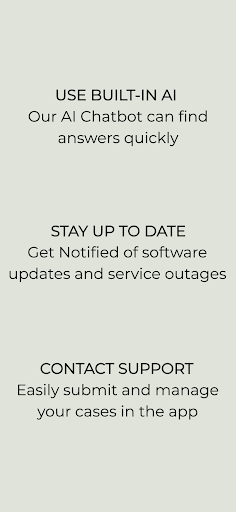
1. Find answers to your questions and solutions to technical issues using our generative AI chatbot.
2. Get notified instantly about new technical articles, videos, patches, bug status updates, case updates, ArcGIS Blogs, and more.
3. Explore video tutorials for Esri technologies.
4. Contact Esri Support by phone, chat, or case submission form.
5. Request a call back to get help on your schedule.
6. Manage your support cases, bugs, and enhancements.
7. Check the status of ArcGIS Online services with the ArcGIS Online Dashboard and get notified when a service is interrupted.
8. Subscribe to bugs and receive notifications whenever new information becomes available.
Esri Support एपीके कैसे डाउनलोड करें
- APK Downloader होमपेज पर पैकेज नाम
com.esri.esrisupportदर्ज करें। - अपने डिवाइस आर्किटेक्चर का चयन करें (आधुनिक उपकरणों के लिए ARM64 अनुशंसित है)।
- मर्ज की गई एपीके फ़ाइल प्राप्त करने के लिए डाउनलोड पर क्लिक करें।
- एपीके को अपने एंड्रॉइड डिवाइस पर ट्रांसफर और इंस्टॉल करें।
- अपडेट रहें: अपने पसंदीदा ऐप्स के नवीनतम सुरक्षित संस्करणों को खोजने और डाउनलोड करने के लिए नियमित रूप से APK Downloader पर जाएं।
सुरक्षा और हस्ताक्षर सत्यापन
यह APK डाउनलोड 100% सुरक्षित है। हम सत्यापित करते हैं कि फ़ाइल का क्रिप्टोग्राफ़िक हस्ताक्षर आधिकारिक डेवलपर क्रेडेंशियल से मेल खाता है। कोई संशोधन या एडवेयर नहीं हैं।