

ArcGIS Responder 10.9.1 APK स्क्रीनशॉट
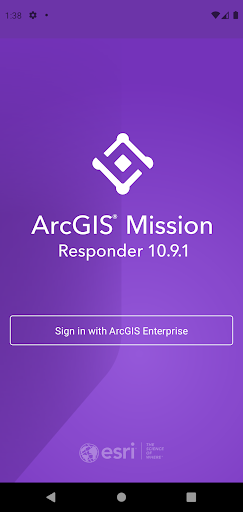

ArcGIS Responder 10.9.1 ऐप की जानकारी
डाउनलोड स्रोत
Device Configuration
स्प्लिट एपीके (Split APK) स्थापना गाइड
कुछ ऐप्स स्प्लिट एपीके (एक साथ पैक की गई कई .apk फाइलें) के रूप में वितरित किए जाते हैं। मानक एंड्रॉइड इंस्टॉलर उन्हें खोल नहीं सकते हैं।
ArcGIS Responder 10.9.1 में नया क्या है
- Chat messages that allow text, attachments, and sketches (A map markup)
- Secure, protected connection to ArcGIS Enterprise
- View and participate in active missions of ArcGIS Enterprise
- View, interact and explore mission maps, layers and other resources
- Send instant messages to other users, teams and all mission participants
- Receive, view, and respond to user-specific tasks
- Use an optimized report form to create and view reports from the field
ArcGIS Responder 10.9.1 के बारे में
NOTE: ArcGIS Mission Responder Version 21.2 is only compatible with ArcGIS Enterprise 2021 (10.9.1) and is not compatible with previous versions of ArcGIS Enterprise.
ArcGIS Mission is a focused, tactical situational awareness solution that is fully integrated with Esri’s market leading ArcGIS Enterprise product. ArcGIS Mission allows organizations to create, share, and operate in missions using integrated maps, teams, and other mission related materials like photographs, documents, map products, and other information types. ArcGIS Mission is designed to provide organizations with a real-time view of their common operating picture and provides remote, mobile users with situational understanding to be able to answer the question, “What’s going on around me right now?”.
As the mobile component of ArcGIS Mission, Responder is the mobile app that enables operators to maintain communications and collaboration with their teammates as well as others in support of, and participating in, the mission through real time messaging and reporting.
Key Features:
- Chat messages that allow text, attachments, and sketches (A map markup)
- Secure, protected connection to ArcGIS Enterprise
- View and participate in active missions of ArcGIS Enterprise
- View, interact and explore mission maps, layers and other resources
- Send instant messages to other users, teams and all mission participants
- Receive, view, and respond to user-specific tasks
- Use an optimized report form to create and view reports from the field
- Create simple map sketches to communicate and collaborate with other mission participants
Note: Continued use of GPS running in the background can dramatically decrease battery life.
ArcGIS Responder 10.9.1 एपीके कैसे डाउनलोड करें
- APK Downloader पर पैकेज नाम
com.esri.responder.tennineoneदर्ज करें। - अपने डिवाइस आर्किटेक्चर का चयन करें (आधुनिक उपकरणों के लिए ARM64 अनुशंसित है)।
- मर्ज की गई एपीके फ़ाइल प्राप्त करने के लिए डाउनलोड पर क्लिक करें।
- एपीके को अपने एंड्रॉइड डिवाइस पर ट्रांसफर और इंस्टॉल करें।
- अपडेट रहें: अपने पसंदीदा ऐप्स के नवीनतम सुरक्षित संस्करणों को खोजने और डाउनलोड करने के लिए नियमित रूप से APKDER.COM पर जाएं।
अक्सर पूछे जाने वाले प्रश्न
हाँ! APKDER द्वारा प्रदान किया गया प्रत्येक एपीके (APK) डाउनलोड कठोर सुरक्षा सत्यापन से गुजरता है। हम सत्यापित करते हैं कि एपीके फ़ाइल का क्रिप्टोग्राफ़िक हस्ताक्षर डेवलपर के आधिकारिक हस्ताक्षर से मेल खाता है, जिससे यह सुनिश्चित होता है कि एपीके मूल, अछूता और किसी भी संशोधन से मुक्त है।
इसे इंस्टॉल करने के लिए, आपको सबसे पहले अपने Android डिवाइस की सुरक्षा सेटिंग्स में "अज्ञात स्रोत" को सक्षम करना होगा। APKDER से APK फ़ाइल डाउनलोड करने के बाद, इंस्टॉल करना शुरू करने के लिए उस पर टैप करें और स्क्रीन पर दिए गए निर्देशों का पालन करें।
हाँ! जैसे ही डेवलपर ArcGIS Responder 10.9.1 का नया संस्करण जारी करता है, हम अपडेट किए गए APK को APKDER पर पोस्ट कर देंगे। आप अपने ऐप डेटा को खोए बिना मौजूदा इंस्टॉलेशन पर नया APK डाउनलोड और इंस्टॉल कर सकते हैं।
हाँ। APKDER आपको भौगोलिक प्रतिबंधों को दरकिनार करने और सीधे आधिकारिक एपीके फाइलें डाउनलोड करने की अनुमति देता है, भले ही ऐप या गेम आपके देश के स्टोर में आधिकारिक रूप से उपलब्ध न हो।
एक मानक एपीके एक एकल इंस्टॉलेशन पैकेज है। एक XAPK या स्प्लिट एपीके में कई संसाधन फाइलें एक साथ पैक की जाती हैं। उन्हें इंस्टॉल करने के लिए, आप अलग-अलग स्प्लिट्स डाउनलोड कर सकते हैं या स्प्लिट एपीके इंस्टॉलर (SAI) जैसे टूल्स का उपयोग कर सकते हैं।
सुरक्षा और हस्ताक्षर सत्यापन
यह APK डाउनलोड 100% सुरक्षित है। हम सत्यापित करते हैं कि फ़ाइल का क्रिप्टोग्राफ़िक हस्ताक्षर आधिकारिक डेवलपर क्रेडेंशियल से मेल खाता है। कोई संशोधन या एडवेयर नहीं हैं।


