




डाउनलोड स्रोत
Device Configuration
स्प्लिट एपीके (Split APK) स्थापना गाइड
कुछ ऐप्स स्प्लिट एपीके (एक साथ पैक की गई कई .apk फाइलें) के रूप में वितरित किए जाते हैं। मानक एंड्रॉइड इंस्टॉलर उन्हें खोल नहीं सकते हैं।
नया क्या है
We improved stability and performance, as well as fixed some bugs.
इस ऐप के बारे में
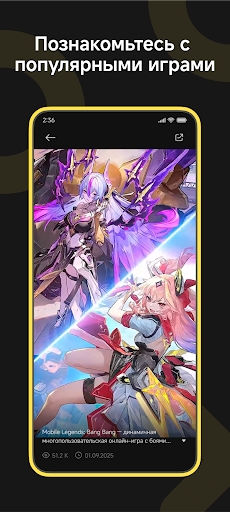
Hey there, Gamers! Welcome to GameHub — an official platform and community dedicated to mobile gamers worldwide. We provide one-stop services covering the latest news, walkthroughs, and exclusive rewards to make your gaming journey more enjoyable. At GameHub, you can stay up to date with the latest game news and official updates, keeping track of trending titles around the world. You can explore practical guides and in-depth walkthroughs to overcome tough challenges and enhance your gameplay experience. You can also claim exclusive rewards and gift packs, with new offers and collaborations added regularly. Whether you play to relax or to chase peak performance, GameHub is here to be part of every moment of your gaming adventure. If you have any feedback or suggestions, feel free to reach us through our official channels. Thank you for choosing GameHub—let’s explore a bigger gaming world together!
GameHub एपीके कैसे डाउनलोड करें
- APK Downloader पर पैकेज नाम
com.game.hubदर्ज करें। - अपने डिवाइस आर्किटेक्चर का चयन करें (आधुनिक उपकरणों के लिए ARM64 अनुशंसित है)।
- मर्ज की गई एपीके फ़ाइल प्राप्त करने के लिए डाउनलोड पर क्लिक करें।
- एपीके को अपने एंड्रॉइड डिवाइस पर ट्रांसफर और इंस्टॉल करें।
- अपडेट रहें: अपने पसंदीदा ऐप्स के नवीनतम सुरक्षित संस्करणों को खोजने और डाउनलोड करने के लिए नियमित रूप से APKDER.COM पर जाएं।
सुरक्षा और हस्ताक्षर सत्यापन
यह APK डाउनलोड 100% सुरक्षित है। हम सत्यापित करते हैं कि फ़ाइल का क्रिप्टोग्राफ़िक हस्ताक्षर आधिकारिक डेवलपर क्रेडेंशियल से मेल खाता है। कोई संशोधन या एडवेयर नहीं हैं।
