
डाउनलोड स्रोत
Device Configuration
स्प्लिट एपीके (Split APK) स्थापना गाइड
कुछ ऐप्स स्प्लिट एपीके (एक साथ पैक की गई कई .apk फाइलें) के रूप में वितरित किए जाते हैं। मानक एंड्रॉइड इंस्टॉलर उन्हें खोल नहीं सकते हैं।
सम्बन्धित ऐप्स




नया क्या है
- Fixed an intermittent error trying to update the Save List.
- Other minor bug fixes and performance improvements.
इस ऐप के बारे में
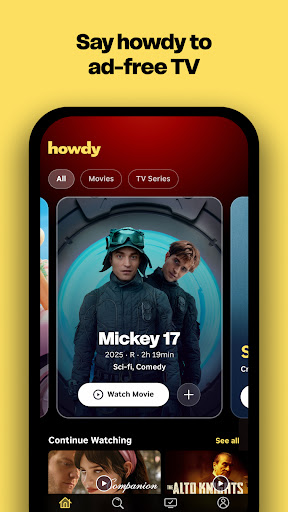
Howdy is a new streaming service from Roku that brings you unlimited access to iconic TV shows and movies, and familiar favorites—all for less than a cup of coffee. No ads. No stress. Just great stories anytime.
Why You’ll Love Howdy
• Always ad‑free: Packed with great stories, uninterrupted.
• Affordable Low Price: Come for the thrills. Stay for lower bills. TV shouldn’t cost more than your coffee order.
• Over 2,500+ movies & TV series: Say howdy to thousands of shows you’ll love.
• No commitments: Cancel anytime or enjoy it all the time.
• Watch everywhere: Stream on mobile, tablet, web browser, Roku TV, and Roku player.
Features
• Browse: Enjoy personalized picks, popular shows, and curated recommendations made just for you.
• Search: Quickly find what you want to watch—or discover today’s top movies and series.
• Continue Watching: Pick up right where you left off, across all your devices.
• My Shows: Save your favorites for easy access, anytime.
• Cross‑device sync: Start on your phone, finish on your TV—your progress and Saved List travel with you.
• Watch on multiple devices: Stream on different screens simultaneously — no fighting over the remote.
Howdy: Streaming Movies & TV एपीके कैसे डाउनलोड करें
- APK Downloader होमपेज पर पैकेज नाम
com.roku.howdyदर्ज करें। - अपने डिवाइस आर्किटेक्चर का चयन करें (आधुनिक उपकरणों के लिए ARM64 अनुशंसित है)।
- मर्ज की गई एपीके फ़ाइल प्राप्त करने के लिए डाउनलोड पर क्लिक करें।
- एपीके को अपने एंड्रॉइड डिवाइस पर ट्रांसफर और इंस्टॉल करें।
- अपडेट रहें: अपने पसंदीदा ऐप्स के नवीनतम सुरक्षित संस्करणों को खोजने और डाउनलोड करने के लिए नियमित रूप से APK Downloader पर जाएं।
सुरक्षा और हस्ताक्षर सत्यापन
यह APK डाउनलोड 100% सुरक्षित है। हम सत्यापित करते हैं कि फ़ाइल का क्रिप्टोग्राफ़िक हस्ताक्षर आधिकारिक डेवलपर क्रेडेंशियल से मेल खाता है। कोई संशोधन या एडवेयर नहीं हैं।