


डाउनलोड स्रोत
Device Configuration
स्प्लिट एपीके (Split APK) स्थापना गाइड
कुछ ऐप्स स्प्लिट एपीके (एक साथ पैक की गई कई .apk फाइलें) के रूप में वितरित किए जाते हैं। मानक एंड्रॉइड इंस्टॉलर उन्हें खोल नहीं सकते हैं।
नया क्या है
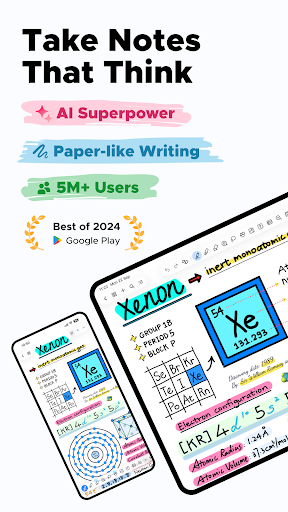
No more ugly handwriting. Just beautiful notes, powerful AI, and a canvas that thinks with you.
• Meet Calligraphy Pen. The new upgrade to Notewise's pen collection. Write beautifully, think freely.
• Sticky Notes and Tables got smarter: Add text, drop in images, move everything as one.
• Page-Level Undo/Redo is here for every rotate, reorder, and "wait, no" moment.
• And a few quiet fixes. Even the best notepads have a scratch page.
इस ऐप के बारे में
🏆 Google Play’s Best App for Personal Growth
Notewise is the future of note-taking on Android. Whether you’re sketching diagrams, annotating PDFs, journaling ideas, or building a second brain—Notewise gives you a freeform canvas that feels like pen and paper—supercharged by AI.
With Notewise, you don’t just take notes. You create good notes —searchable, flexible, and future-proof.
✨ AI Superpowers for Your Notes
Notewise AI makes your notes smarter—without compromising your privacy.
• Chat with your notes: ask questions, summarize content, or review key ideas.
• AI Guided Podcast: turn dense handwritten notes or PDFs into audio notes.
• Magic Select: Circle anything on your canvas and let AI solve, explain it.
• OCR handwriting, scanned documents, and images in 20+ languages.
• Make messy scribbles searchable—instantly.
• Create AI quizzes from your notes to test your exam readiness
• AI background removal for clean, visual, professional notes
🚫 No data selling. 🚫 No creepy analytics.
🖊️ Handwriting That Feels Like Magic
Designed for stylus-first note-takers, Notewise offers:
• Ultra-low-latency writing
• Reliable palm rejection
• Pressure-sensitive pens and smooth highlighters
• Realistic stroke stabilization and smart shape assist
Whether you're taking class notes or sketching wireframes, it just works.
🛠️ Tools Built for Power Users
Use the full toolbox to create your own system of thinking and learning:
Pen, Highlighter, Eraser, Lasso, Tape, Shape, Textbox, Image, Audio Recorder, Table, Zoombox, Ruler, Laser Pointer, Sticky Notes, Creative Brushes, Stickers.
Create freely. Every tool is fast, fluid, and purpose-built.
🔍 AI OCR: Your Handwriting, Now Searchable
• Extract text from handwritten notes, scans, or imported PDFs
• Find formulas, quotes, or action items in seconds
• Multilingual support for global users
• Works across class notes, whiteboards, worksheets, and more
📂 Organize with Confidence
• Unlimited folders, tags, and sorting options
• Pin recent notes, merge content, reorder pages
• Bulk import/export with smart file handling
• Color-code and customize your library
🤝 Sync, Collaborate, Share
• Real-time collaboration in shared notebooks
• Seamless sync across Android, iOS, and Web
• Offline-first with automatic cloud sync
• Share via URL, QR code, or export to PDF/image formats
🔒 Privacy-First by Design
We’re a small, independent team. We don’t sell your data. We don’t show ads. Your notes are encrypted, secure, and under your control.
• Choose one-time purchase or subscription
• Notewise Cloud unlocks sync, AI, OCR, and collaboration
• Use core features for free—forever
No paywall for basics. No lock-in.
🚀 Always Getting Better
We ship fast: 20+ major updates in the last year. Recent additions include:
• Video on Canvas: Add lectures, tutorials and reference videos
• Creative Brush: draw, sketch and create beautiful artwork
• Stickers: Personalize your notes with context-specific stickers
• Horizontal Scroll and Two-Tab view to reference notes naturally
• Circle to Lasso: Circle anything with pen and tap to auto-enter lasso mode
And we're just getting started.
✍️ Take Good Notes Only
Notewise is built for thinkers, tinkerers, students, and builders of all kinds. Whether you’re diagramming an idea, revising a lecture, or designing your own productivity system—Notewise adapts to how you think.
—
Skip the bloat. Keep the power. Build your notes your way—with a tool that respects your privacy.
📥 Download Notewise for free today and experience note-taking that works like code: fast, indexable, and smart.
उपयोगकर्ता समीक्षाएं

Samaj ma hi nahi aa raha ha
Notewise - AI Notes, PDF, Docs एपीके कैसे डाउनलोड करें
- APK Downloader पर पैकेज नाम
com.yygg.note.appदर्ज करें। - अपने डिवाइस आर्किटेक्चर का चयन करें (आधुनिक उपकरणों के लिए ARM64 अनुशंसित है)।
- मर्ज की गई एपीके फ़ाइल प्राप्त करने के लिए डाउनलोड पर क्लिक करें।
- एपीके को अपने एंड्रॉइड डिवाइस पर ट्रांसफर और इंस्टॉल करें।
- अपडेट रहें: अपने पसंदीदा ऐप्स के नवीनतम सुरक्षित संस्करणों को खोजने और डाउनलोड करने के लिए नियमित रूप से APKDER.COM पर जाएं।
सुरक्षा और हस्ताक्षर सत्यापन
यह APK डाउनलोड 100% सुरक्षित है। हम सत्यापित करते हैं कि फ़ाइल का क्रिप्टोग्राफ़िक हस्ताक्षर आधिकारिक डेवलपर क्रेडेंशियल से मेल खाता है। कोई संशोधन या एडवेयर नहीं हैं।


