
Fontes de download
Device Configuration
Guia de Instalação de Split APKs
Alguns aplicativos são distribuídos como Split APKs (vários arquivos .apk empacotados juntos) para otimizar os recursos. Os instaladores padrão do Android não podem abri-los.
Aplicativos Relacionados




Novidades
Patch attampting to fix the crash on 10% android devices and fixing the Restore Purchase issues.
Sobre este aplicativo
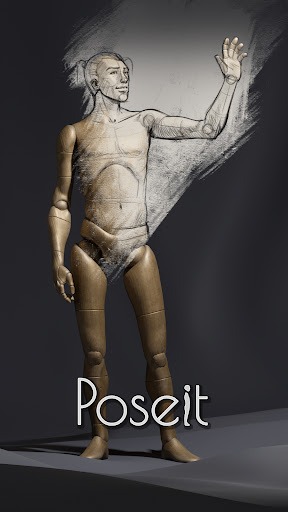
I like to think about this app as a natural evolution of the traditional drawing mannequin, I designed it to have minimal details and just some hints of anatomy, so it generalize well with any kind of character I want to draw. The screen space rotation method and others automatic features make your posing process faster and dynamic. After the latest updates it even supports Inverse Kinematic functions, has the female mannequin and props gallery.
Pose it and view it just the way you need it to strengthen and improve your human figure drawing skills.
Pose it was born as my personal tool to help me drawing the most challenging poses, during the lockdown I had to spend my vacations at home and I gave myself the challenge to polish it and publish it (yes it is my very first app). I hope it now can serve others as good as it served me :)
Como baixar o APK do Poseit
- Insira o nome do pacote
com.OneManBand.PoseItna página inicial do APK Downloader. - Selecione a arquitetura do seu dispositivo (ARM64 recomendado para dispositivos modernos).
- Clique em Baixar para obter o arquivo APK mesclado.
- Transfira e instale o APK no seu dispositivo Android.
- Mantenha-se atualizado: Visite o APK Downloader regularmente para pesquisar e baixar as versões seguras mais recentes de seus aplicativos favoritos.
Segurança e Verificação de Assinatura
Este download de APK é 100% seguro. Verificamos se a assinatura criptográfica do arquivo corresponde às credenciais oficiais do desenvolvedor. Sem modificações ou adware injetados.