

Fontes de download
Device Configuration
Guia de Instalação de Split APKs
Alguns aplicativos são distribuídos como Split APKs (vários arquivos .apk empacotados juntos) para otimizar os recursos. Os instaladores padrão do Android não podem abri-los.
Sobre este aplicativo
TV Remote Control for Roku TV turns your smartphone into a smart remote for compatible Roku Smart TVs. Control your TV over Wi-Fi, cast videos and photos to your TV, and enjoy screen mirroring from your phone to the big screen with Roku TV remote. This all-in-one TV remote app is designed to make TV control, media streaming, and screen sharing fast, simple, and convenient.
Whether you need a replacement remote, want to stream content, or mirror your screen, Roku TV remote control gives you everything you need in one easy-to-use remote control for android.
📺 Key Features of Smart Remote Control
🎮 Samrt Remote for Roku tv
Control your compatible Roku Smart TV using your phone. Easily:
Power ON/OFF
Adjust volume
Change channels
Navigate menus
Control playback
📡 Smart TV Remote Control
Enjoy a smooth and responsive remote experience with an intuitive interface designed for Smart TVs.
📲 Screen Mirroring
Mirror your phone screen to your compatible Roku TV in real time. Great for:
Videos
Photos
Presentations
Games
Documents
🎬 Cast to TV
Cast videos, photos, and music from your phone to your compatible Smart TV for a better viewing experience.
🎵 Media Streaming
Stream your favorite media directly from your phone to your TV over the same Wi-Fi network.
⚡ Quick & Easy Connection
Simply connect your phone and compatible Roku TV to the same Wi-Fi network and start controlling your TV within seconds.
📱 Smart Remote Features
✔ Power Button
✔ Volume Control
✔ Channel Control
✔ Touchpad Navigation
✔ Keyboard Input
✔ Number Pad
✔ Voice Control
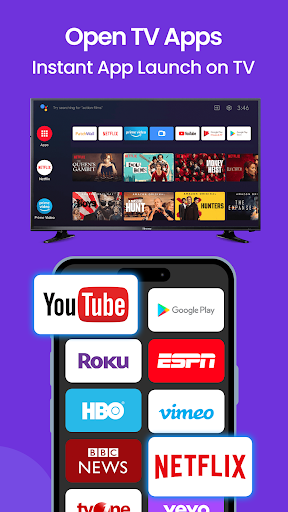
✔ Launch Supported TV Apps
✔ Media Playback Controls
✔ Fast and Responsive Performance
📺 Why Choose Smart TV Remote Control?
Easy to set up
User-friendly interface
Fast Wi-Fi connection
Cast photos, videos, and music
Screen mirroring support
Reliable remote controls
Modern and lightweight design
No physical remote required
📌 How to Use
Connect your phone and compatible Roku Smart TV to the same Wi-Fi network.
Open the app.
Select your TV.
Start controlling your TV, casting media, or using screen mirroring.
📶 Compatibility
Roku TV Remote Control is designed to work with many compatible Roku Smart TV models connected to the same Wi-Fi network. Feature availability may vary depending on your TV model and software version.
⚠️ Important Notice
This application is not an official Roku Brand and is not affiliated with, endorsed by, or sponsored by Roku Official Brand. "Roku" is used solely to indicate compatibility with supported devices.
Download TV Remote Control for Roku TV replace your physical remote with your phone and enjoy easy TV control, screen mirroring, media streaming, and cast to TV—all from one convenient TV Remote for Roku.
Como baixar o APK do TV Remote Control for Roku
- Insira o nome do pacote
com.al.remote.control.tv.castingna APK Downloader. - Selecione a arquitetura do seu dispositivo (ARM64 recomendado para dispositivos modernos).
- Clique em Baixar para obter o arquivo APK mesclado.
- Transfira e instale o APK no seu dispositivo Android.
- Mantenha-se atualizado: Visite o APKDER.COM regularmente para pesquisar e baixar as versões seguras mais recentes de seus aplicativos favoritos.
Perguntas frequentes
Sim! Cada arquivo hospedado no APKDER passa por uma verificação rigorosa de segurança. Verificamos se a assinatura criptográfica corresponde à assinatura oficial do desenvolvedor, garantindo que o aplicativo não tenha sido modificado ou adulterado.
Para instalá-lo, você precisa ativar "Fontes Desconhecidas" nas configurações de segurança do seu dispositivo Android. Depois de baixar o arquivo APK do APKDER, toque nele para iniciar a instalação e siga as instruções na tela.
Sim! Assim que o desenvolvedor lançar uma nova versão de TV Remote Control for Roku, atualizaremos o APK no APKDER. Você pode simplesmente baixar e instalar o novo APK por cima do existente sem perder os dados do seu aplicativo.
Segurança e Verificação de Assinatura
Este download de APK é 100% seguro. Verificamos se a assinatura criptográfica do arquivo corresponde às credenciais oficiais do desenvolvedor. Sem modificações ou adware embutidos.